Page 2 of 3
Re: updated graphCombined block
Posted: Sun Jan 16, 2022 11:58 pm
by mchd17
Props to you sir! Works like it should!
Look at the bearing graph, any way to use 0 to 360, not 0 to 500?
Just a thought.
Re: updated graphCombined block
Posted: Tue Jan 18, 2022 10:21 pm
by davidefa
ver 2.5
- changed Y axis min/max: humidity 0-100%, bearing 0-360°
ver 2.6
- corrected Y axis min/max: humidity 0-100%, bearing 0-360°, soil moisture 0-100
( double checked, it should be ok )
Re: updated graphCombined block
Posted: Wed Jan 19, 2022 11:33 pm
by mchd17
I don't see a change in Bearing, using 2.5 on my site
Re: updated graphCombined block
Posted: Sun Jan 23, 2022 2:12 pm
by mchd17
Love what you done with the graphs davidefa. Look great at full width!
Re: updated graphCombined block
Posted: Sun Jan 23, 2022 4:21 pm
by mchd17
updated to 2.6
If soil moisture is higher than 100 cbar, not showing on graph, graph is set to 0 to 100 percent. Soil moisture can go as high as 200 cbar. My soil moisture at 8" is 118cb at the present time. Are you able to go 0 to 200? And change from percent to cb?
Wind bearing works great too!!!! Thanks alot!!!!
Re: updated graphCombined block
Posted: Sun Jan 23, 2022 9:20 pm
by davidefa
ver 2.7
- added parameters to set soil moisture max value and unit of measure ( need to rerun block setup )
Re: updated graphCombined block
Posted: Sun Jan 23, 2022 9:52 pm
by mchd17
Nicely done!

- f1d68c669c37dd95fca90ddd0fa816f5.gif (37.64 KiB) Viewed 58062 times
Re: updated graphCombined block
Posted: Wed Feb 02, 2022 4:53 pm
by drrehak
I like all your updated blocks!
Trying to get this one to work with little success.
graphCombined V2,0 works on the page with no other graphs.
Installed the indexFull1.php from the V2.1 zip, and all the files from the V2.7 zip.
Updated the settings.
Now all I get is a blank area on the page.
Am I missing something?
Sorry I can't share a link - running on a local server and haven't setup external access.
Thanks.
Re: updated graphCombined block
Posted: Wed Feb 02, 2022 6:31 pm
by davidefa
Let's recap ( in homepage layout you shpould call graphCombined ):
- you have installed graphCombined v2.0 run setup and it works
- you have installed graphCombined v2.7, rerun setup and it does not work ( blank area )
1) ( with v2.7 istalled ) if you run script template/homepage/blocks/graphCombined/data.php is output similar to this?
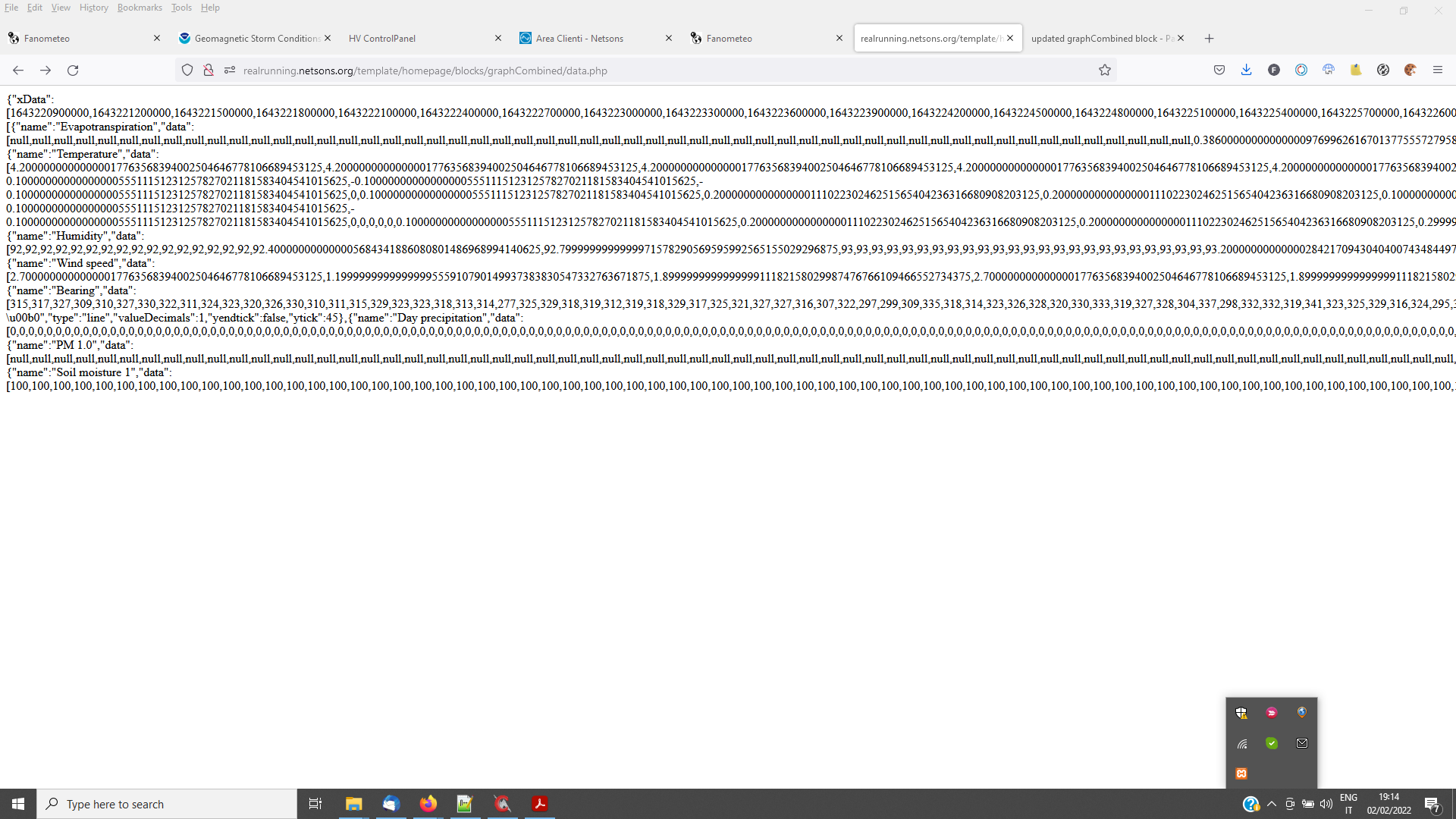
- data_php.png (94.06 KiB) Viewed 58029 times
2) what is the block setup ( remove any unwanted leading/trailing blanks )
3) if you reinstall v2.0 ( without rerunning setup ) does it work?
P.S.
GraphCombinedI ( and indexFull1.php ) is a second step and needs graphCombined to be working correctly.
Re: updated graphCombined block
Posted: Thu Feb 03, 2022 9:36 am
by lemimi
Hello,
If it helps, I also had an empty area with version 2.7.
For this to work I just replaced the file (in graphCombined block) data.php of version 2.7 by that of version 2.0.
Thank you all for your work and the help you give us.
Michel
*************************************************************
Bonjour,
Si cela peut aider, j'avais aussi une zone vide avec la version 2.7.
Pour que cela fonctionne j'ai juste remplacé le fichier (dans bloc graphCombined) data.php de la version 2.7 par celui de la version 2.0.
Merci à tous pour votre travail et l'aide que vous nous apportez.
Michel
Re: updated graphCombined block
Posted: Thu Feb 03, 2022 2:15 pm
by drrehak
Update/recap on what I've done.
1) install 2.0, works, inspect shows svg statements in the page for graph (see image)
2) clean install 2.7, blank page, no svg statements (see image)
3) rollback to 2.0, leave 2.7 settings, works (see image)
4) change to 2.7, use 2.0 data.php works
5) 2.7 with 2.1a data.php, no svg on the page.
didn't try other combinations.
**** forum isn't letting me add more attachments, so data.php output in next post
2.0 screen capture
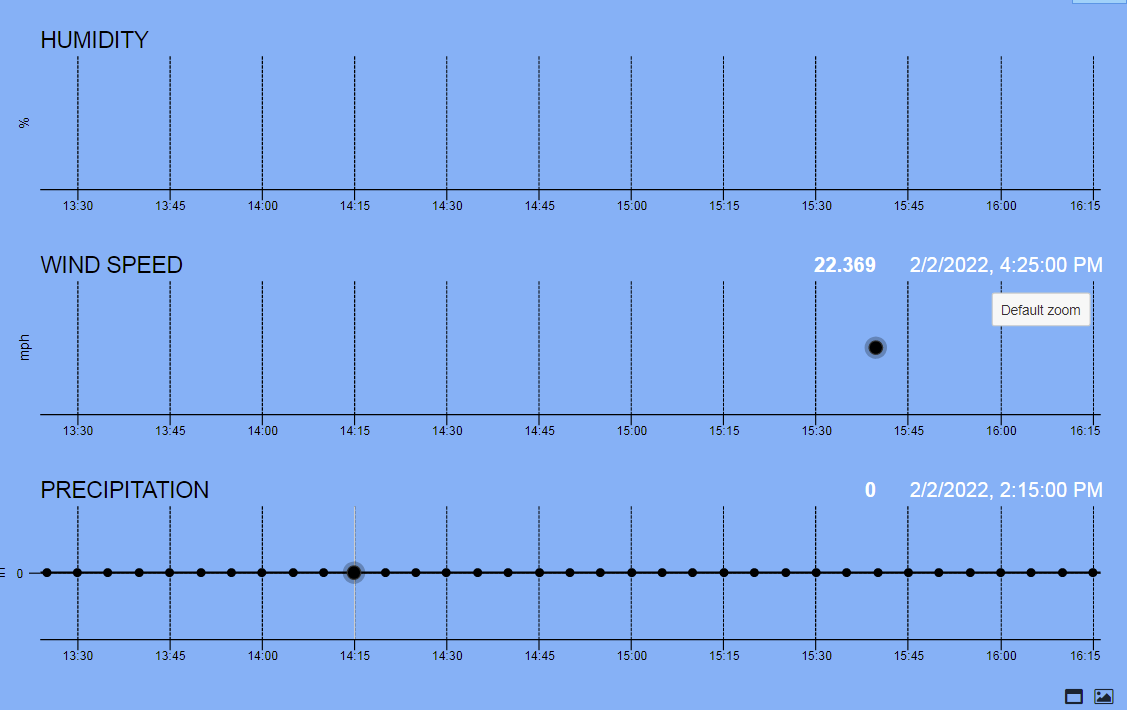
- gc20screen.PNG (55.93 KiB) Viewed 58020 times
2.7 screen capture
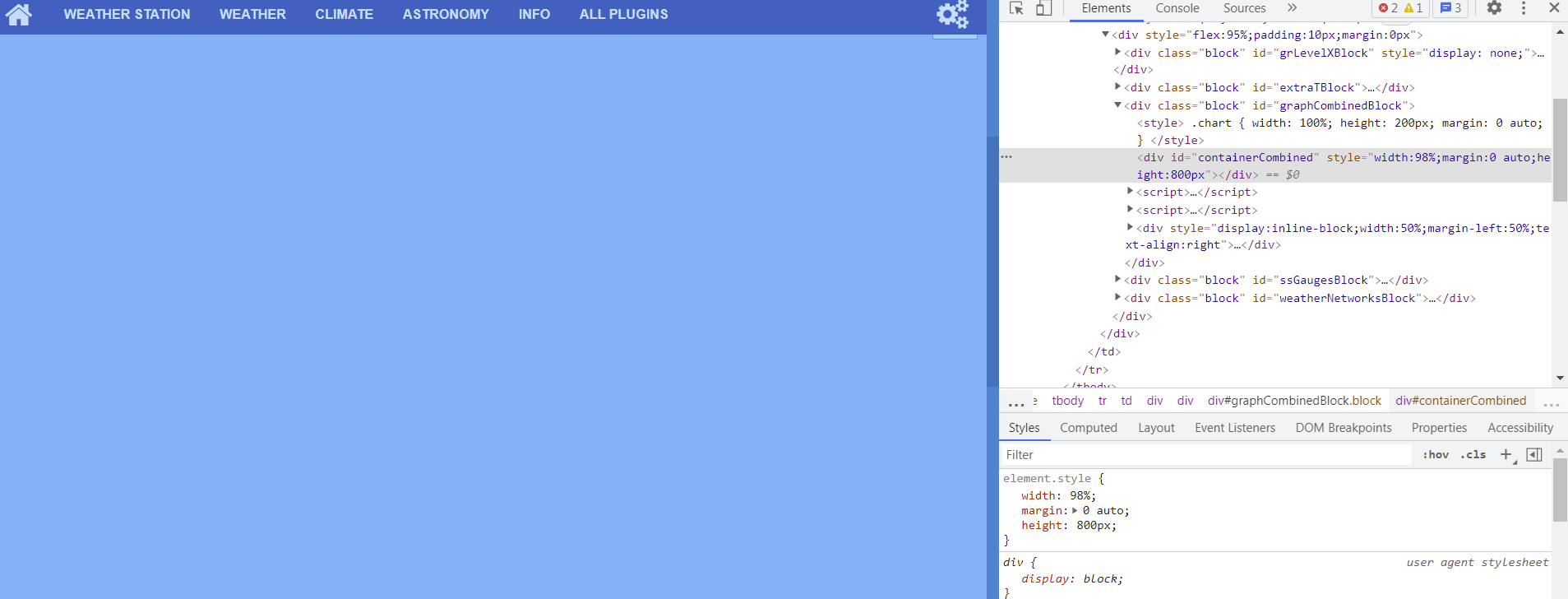
- gc27screen.PNG (89.07 KiB) Viewed 58020 times
2.7 settings
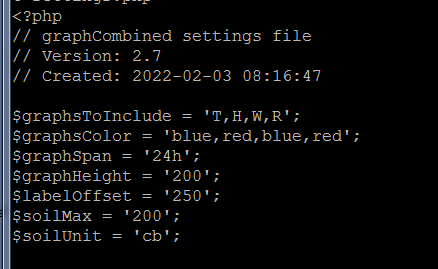
- gc27settings.PNG (14.03 KiB) Viewed 58020 times
Re: updated graphCombined block
Posted: Thu Feb 03, 2022 2:18 pm
by drrehak
data.php output from 2.0
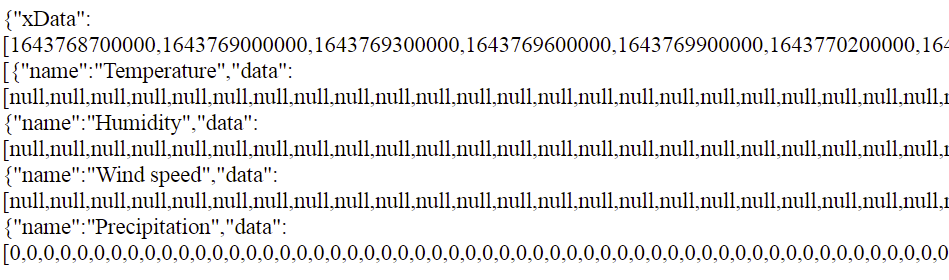
- gc20dataphp.PNG (38.12 KiB) Viewed 58020 times
data.php output from 2.7

- gc27dataphp.PNG (40.38 KiB) Viewed 58020 times
yes, there should be lots of 0's and null's. My meteobridge is running but still waiting to get my Davis station
Let me know if you want me to try something else.
Thanks!!!
Re: updated graphCombined block
Posted: Thu Feb 03, 2022 2:57 pm
by davidefa
Ok, if I understand correctly, you ( both of you ) don't have any extra sensor setup so the data.php fails ( thanks to Lemimi for pointing this out ). In this case you can use the data.php of v2.0.
Later I'll post an updated version ( after verifying everything works as expected )
Re: updated graphCombined block
Posted: Thu Feb 03, 2022 3:54 pm
by drrehak
Thanks.
Yes, no external sensors for me.
Re: updated graphCombined block
Posted: Sun Jan 29, 2023 2:00 pm
by Laglene
Ciao Davide,
Sono felice di incontrarti sul forum.
Ho installato graphCombined versione 2.4 per ottenere sostanzialmente il colore...
Una volta installato quando apro il blocco rimane vuoto?
Qual è il problema?
Grazie in anticipo
Anno molto buono
Didier HUBERT
Re: updated graphCombined block
Posted: Sun Jan 29, 2023 10:02 pm
by davidefa
The mods of the block I made do not work when no extra sensors are present in database.
You can try the following version ( or alternatively you may copy the data.php script from ver 2.0 ):
ver 2.9
- added RE ( rain event ), cumulated rain resets after 24h of no rain ( while R resets every midnight )
- corrected error generated when no extra sensors in database ( no alldataExtra table )
Re: updated graphCombined block
Posted: Mon Jan 30, 2023 9:48 am
by Laglene
Hello everyone,
Thanks Davide for your answer, now it works.
Thanks again for your quick response.
Have a good day
Didier
Re: updated graphCombined block
Posted: Tue Apr 18, 2023 10:08 am
by TheMarcus86
HI! how can i add evapotranspiration graph? Thank you
Re: updated graphCombined block
Posted: Sun Oct 08, 2023 9:05 pm
by davidefa
Evapotranspiration is ET, just add ET to the list of sensors to graph ( I'll add in the block setup description )
Re: updated graphCombined block
Posted: Mon Dec 02, 2024 9:29 am
by davidefa
2024/12/02
- ver 3.0 corrected javascript map function call ( causing an error )
Re: updated graphCombined block
Posted: Mon Dec 02, 2024 12:59 pm
by lemimi
Hello Davidefa,
I believe I won’t be the only one delighted to see you back on this forum.
Wishing you a wonderful day,
Michel
Re: updated graphCombined block
Posted: Mon Dec 02, 2024 3:34 pm
by alexvanuxem
Welcome back David!!!
Re: updated graphCombined block
Posted: Fri Dec 06, 2024 11:56 am
by El_Viejo
I am also very happy to see you back on the forum.
Re: updated graphCombined block
Posted: Sat Dec 07, 2024 9:41 am
by Decon
Thank you, works again!!!
Re: updated graphCombined block
Posted: Sat Dec 07, 2024 4:11 pm
by Hagebeek
I get an empty block on my mobile device. Desktop layout works fine.
Nothing to see in the error.log for this block. Also no error in this block when I use indexMobile.php?errors.
Today also installed version 3.0.
What could be wrong here?