Page 1 of 1
Nice url/picture on Facebook.
Posted: Sun Jul 11, 2021 9:41 am
by tobydude
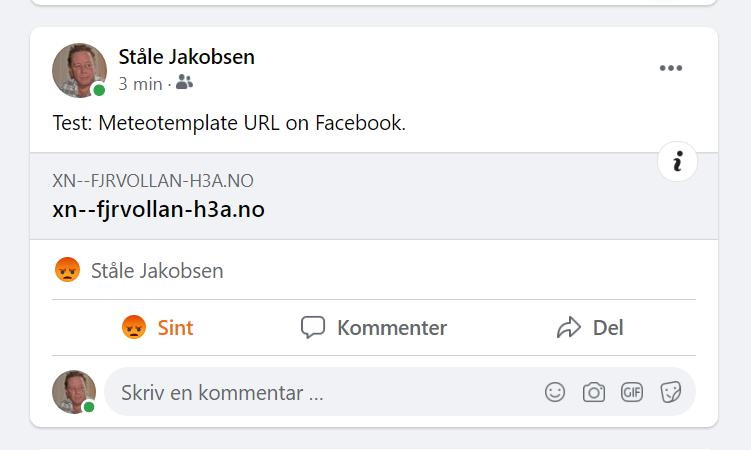
When I post the url of my weather page on Facebook, it only shows an ugly, simple url with no picture or any "info".
I have talked to my webpage server host (proisp) , but they can´t do anything about it.
Is it possible to make a block that let users of Meteotemplate post their weather page url on Facebook with a picture?
The picture could be for example one of the blocks or an other picture of choice.
Re: Nice url/picture on Facebook.
Posted: Mon Jul 19, 2021 1:31 pm
by MJW
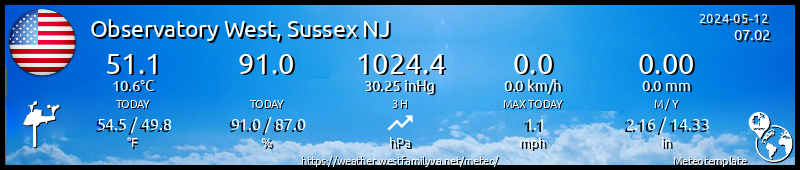
My signature is actually a gif image that can be shared on FB (
http://weather.westfamilynj.net/sig.gif), I just need to remember how I automated the process of saving the sticker php as a gif.
**edit
It is actually a javascript file, that when the sig.gif is loaded, actually displays the signature block instead. The file contents are -
Code: Select all
document.write('<iframe marginheight="0" marginwidth="0" name="iframe1" id="iframe1" width="500" height="150" src="http://weather.westfamilynj.net/meteo/stickersWU/stickerInteractive.php?text=Observatory%20West,%20Sussex%20NJ&type=interactive" align="top" frameborder="0" scrolling="no"></iframe>');
I think it is a setting on my web server to use the javascript, I need to figure out how I did that.
Re: Nice url/picture on Facebook.
Posted: Mon Jul 19, 2021 1:50 pm
by MJW
ok I figured it out. Along with the previous sig.js file above, my .htaccess has -
Code: Select all
<IfModule mod_headers.c>
    Header set Access-Control-Allow-Origin "*"
</IfModule>

redirect /sig.gif http://weather.westfamilynj.net/meteo/plugins/stickers/stickerInteractive.php?text=Observatory%20West,%20Sussex%20NJ&dualUnits=1&type=interactive

redirect /sig500.gif http://weather.westfamilynj.net/meteo/plugins/stickers/stickerInteractive500.php?text=Observatory%20West,%20Sussex%20NJ&dualUnits=1&type=interactive
That tells the webserver that when one of the sig graphic files is requested, actually serve the sticker php file instead.
Re: Nice url/picture on Facebook.
Posted: Mon Jul 19, 2021 4:24 pm
by davidefa
Hy Ståle, if you enable ( in meteotemplate control panel->main setup ) these options

- block_image.png (96.54 KiB) Viewed 12007 times
every blocks will have the capability to save a snapshot of the block itself ( clicking the picture icon on the lower right )
Only a small annoyance for menuBlocks ( those that have a menu on the upper left ): the snapshot won't work until you select one element from the menu.

- block_image1.png (17.97 KiB) Viewed 12007 times
Re: Nice url/picture on Facebook.
Posted: Mon Jul 19, 2021 5:05 pm
by tobydude
Thanks.
The settings are like on your picture.
The page show only text, an no links works.

There is no "menu" in the rain block.
Re: Nice url/picture on Facebook.
Posted: Mon Jul 19, 2021 9:00 pm
by tobydude
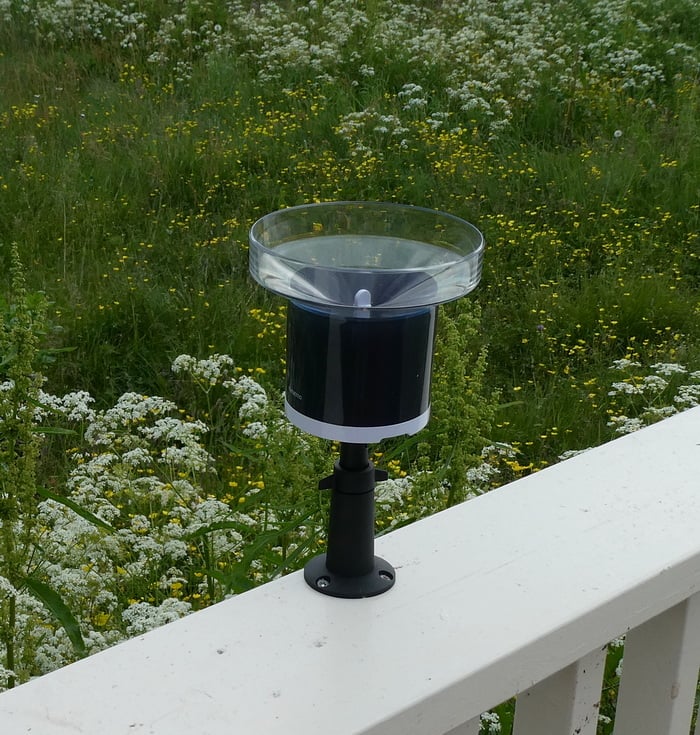
The rain block:
I finally understand.
Thank you
Re: Nice url/picture on Facebook.
Posted: Tue Jul 20, 2021 9:09 am
by tobydude
MJW wrote: ↑Mon Jul 19, 2021 1:31 pm
My signature is actually a gif image that can be shared on FB
Nice.
Can you make me one?
Re: Nice url/picture on Facebook.
Posted: Wed Jul 21, 2021 12:33 am
by MJW
tobydude wrote: ↑Tue Jul 20, 2021 9:09 am
Nice.
Can you make me one?
Not really, it requires admin access to your meteotemplate installation, plus the ability to load files to your server. It is easy to do though,
1. Load the stickers plugin in meteotemplate.
2. Create a text file called "sig.js" and paste this code in it, changing my site information for yours -
Code: Select all
document.write('<iframe marginheight="0" marginwidth="0" name="iframe1" id="iframe1" width="500" height="150" src="http://weather.westfamilynj.net/meteo/stickersWU/stickerInteractive.php?text=Observatory%20West,%20Sussex%20NJ&type=interactive" align="top" frameborder="0" scrolling="no"></iframe>');
3. Modify if you have one, otherwise create a file called ".htaccess" and paste this code in it, changing my site information for yours -
Code: Select all
<IfModule mod_headers.c>
    Header set Access-Control-Allow-Origin "*"
</IfModule>

redirect /sig.gif http://weather.westfamilynj.net/meteo/plugins/stickers/stickerInteractive.php?text=Observatory%20West,%20Sussex%20NJ&dualUnits=1&type=interactive
4. .htaccess goes in the root directory of your website, mine is at weather.westfamilynj.net, not further down in the structure where the meteotemplate resides.
5. sig.js goes pretty much anywhere in your site, it could be the root, or the home folder of your meteotemplate installation. Mine is at weather.westfamilynj.net/sig.gif.
Re: Nice url/picture on Facebook.
Posted: Wed Jul 21, 2021 5:35 am
by tobydude
Thank you.
i certainly will give it a try.
Re: Nice url/picture on Facebook.
Posted: Wed Jul 21, 2021 8:11 am
by tobydude
Hey.
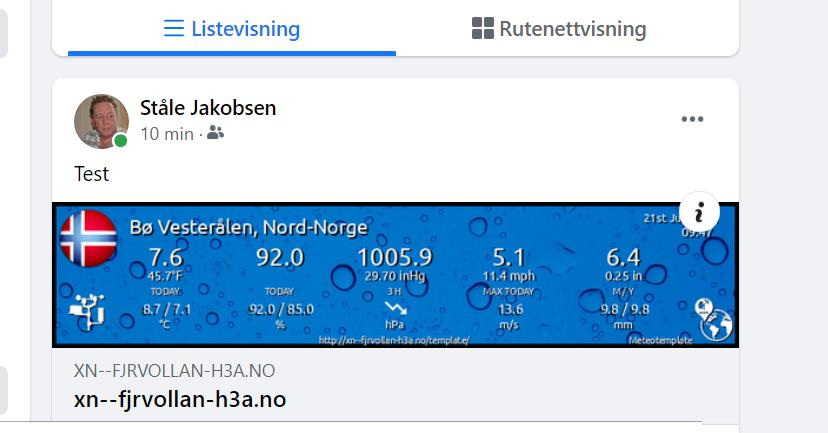
It works on facebook and show the right weather values.
Thank you.
Is it possible to make it so my actual weather page opens in a new link (tab), when clicking on the banner picture?