Page 1 of 1
Storm Precip Total
Posted: Thu Feb 24, 2022 1:59 am
by mchd17
Current precip clears at midnight, would be nice to see a block for storm total. I have no clue on how to do it though. I hate having to add what rain was the night before midnight to total in the morning. Maybe there is way now that i am not aware of.
Re: Storm Precip Total
Posted: Thu Feb 24, 2022 8:19 am
by davidefa
What do you mea with 'a block':
- a new block with only 'last storm' activity
- adding this information to an existing one ( ex: the rain block )

- rain4.png (34.58 KiB) Viewed 28269 times
Re: Storm Precip Total
Posted: Thu Feb 24, 2022 12:11 pm
by mchd17
Adding to existing block.
This is how Davis considers a storm....
0.02" of rainfall (0.5 mm) begins a storm event, 24 hours without further accumulation ends a storm event.
Re: Storm Precip Total
Posted: Thu Feb 24, 2022 1:01 pm
by mchd17
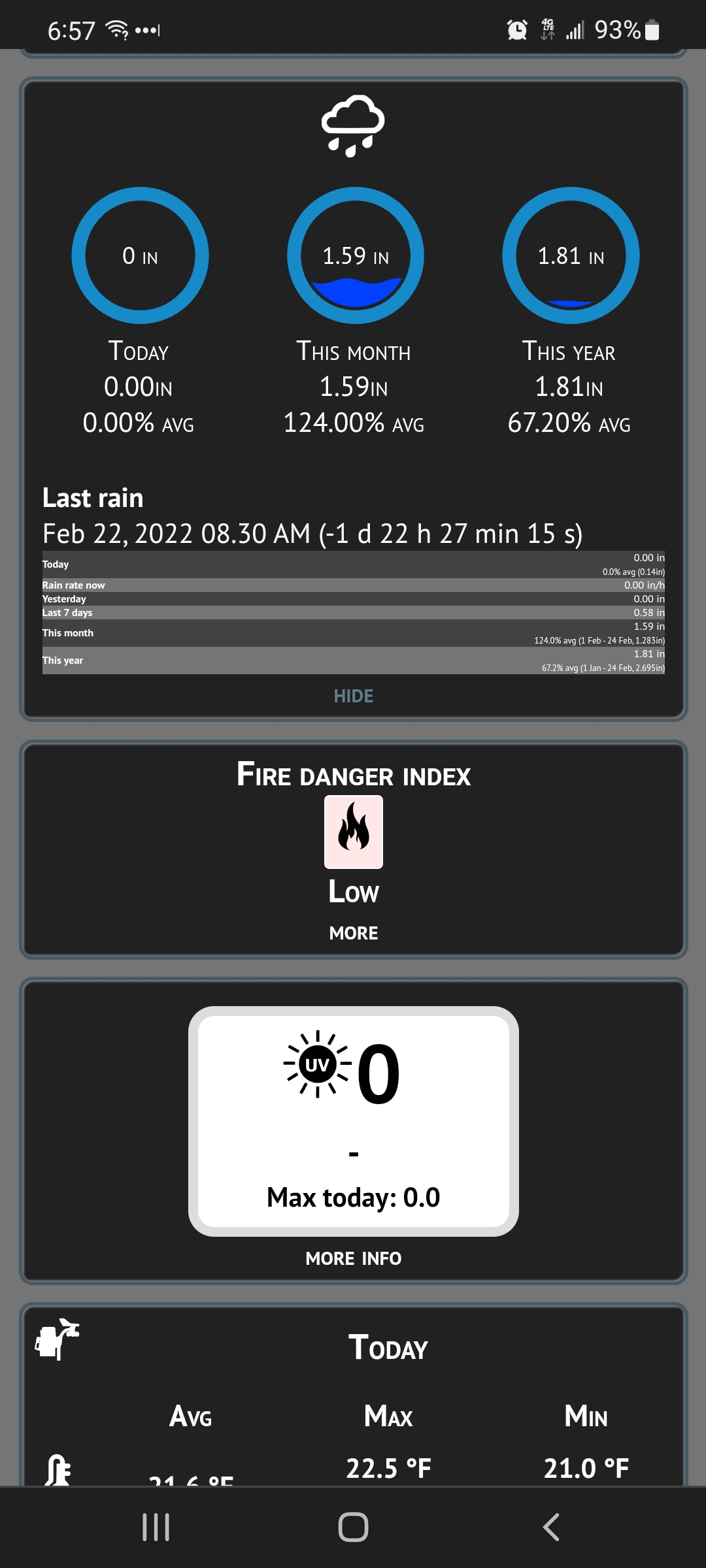
Glad you posted that block, any way to change font size on mobile view and not disturb desktop view.
- Screenshot_20220224-065732_Chrome.jpg (319.61 KiB) Viewed 28260 times
Android, chrome browser. I always have to zoom in, eyes are truly going bad, I'm just hard headed for glasses.
Re: Storm Precip Total
Posted: Thu Feb 24, 2022 3:22 pm
by davidefa
Ok for the storm total.
For the mobile page font resize you may try this mod ( I have already been asked to look at it, but untested ):
- copy in the root folder and unzip
- currently it resizes the ultrasmall font ( used by rain block and maybe others too )
If the blocks small font is still too small you can edit homepage/css/styleMobile.php ( it affects only mobile pages )
in the firs lines you have:
Code: Select all
		h1{
			font-size: 18px;
		}
		h2{
			font-size: 20px;
		}
		@media all and (min-width: 960px) {
			body{
				font-size: 16px;
			}
		}

		@media all and (max-width: 959px) and (min-width: 600px) {
			body{
				font-size: 16px;
			}
			 .button{
				 font-size: 14px;
			}
		}

		@media all and (max-width: 599px) and (min-width: 50px) {
			body{
				font-size: 16px;
			}
			.button{
				font-size: 14px;
			}
		}
modifying the first part to change the size of block heading ( for example set to 30px to have a super large heading )
modifying the subsequent parts to change the size of the block's small text ( for example set to 26px to have a super large 'small font' )
Code: Select all
		@media all and (min-width: 960px) {
			body{
				font-size: 16px;
			}
		}
You have 3 of these sections each is relative to a different screen size of the mobile device, modify all of them and test the result.
( small and large devices may require different setting, in fact the pixel density is important but this data is unavailable, or at least I don't know how to calculate it. This is only to say that different devices may show different results, this is due to display size/pixel density )
Lite version resize mod
Posted: Thu Feb 24, 2022 9:14 pm
by WyoDog
Davide
This looks much better and is alot more readable, thank you.
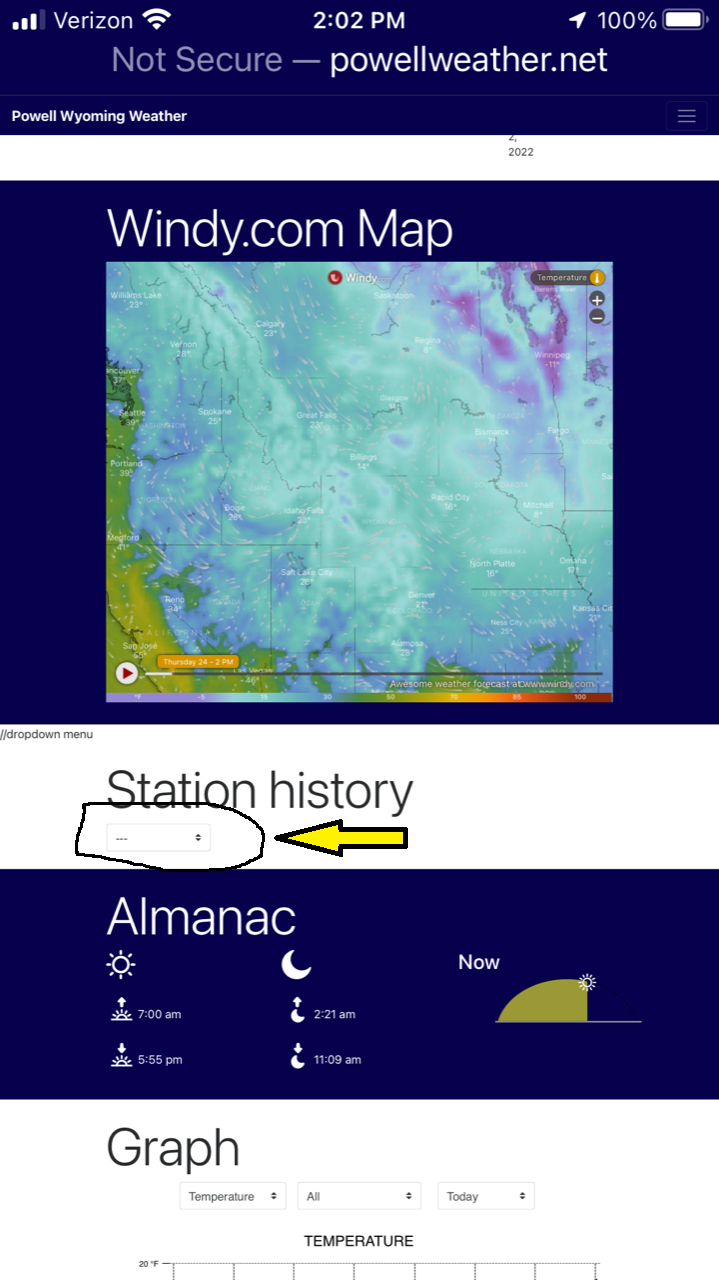
Where is the code for 'Station History'?
The drop down box is barely visible on my device. See attachement.
thanks again
Terry
- IMG_8760.PNG (505.75 KiB) Viewed 28234 times
Re: Storm Precip Total
Posted: Fri Feb 25, 2022 12:53 am
by mchd17
davidefa, mobileResize mod is fanatastic!!
I can read the info now!!
Re: Storm Precip Total
Posted: Fri Feb 25, 2022 10:26 am
by mchd17
As you said, the mod fixed all blocks that had small font.
I can read the NWS forecast without zooming in now. Fantastic!
Re: Storm Precip Total
Posted: Mon Apr 18, 2022 10:00 pm
by mchd17
My davis console shows last 24 hour rain amount and what day it started. I wonder if i could send that info to MT