1) the file should be placed inside the admin folder, or a subdirectory ( and not the install folder as stated in the import page )
2) the settings are as shown in the attached images
3) select the correct units ( for example wind speed is expressed in Km/h, mph... )
4) now 'Show fields number' and 'Test import' should work as expected
With this settings data import correctly... but I'm not shure data are correct:
- for example on 2008-04-30 21:58 yearly rain pass from 14.7 to 129 in 1 minute
- for example on 2008-04-24 12:32 ( first row ) yearly rain is less than monthly rain
- daily rain never resets
nonetheless data are correctly shown ( at first glance )
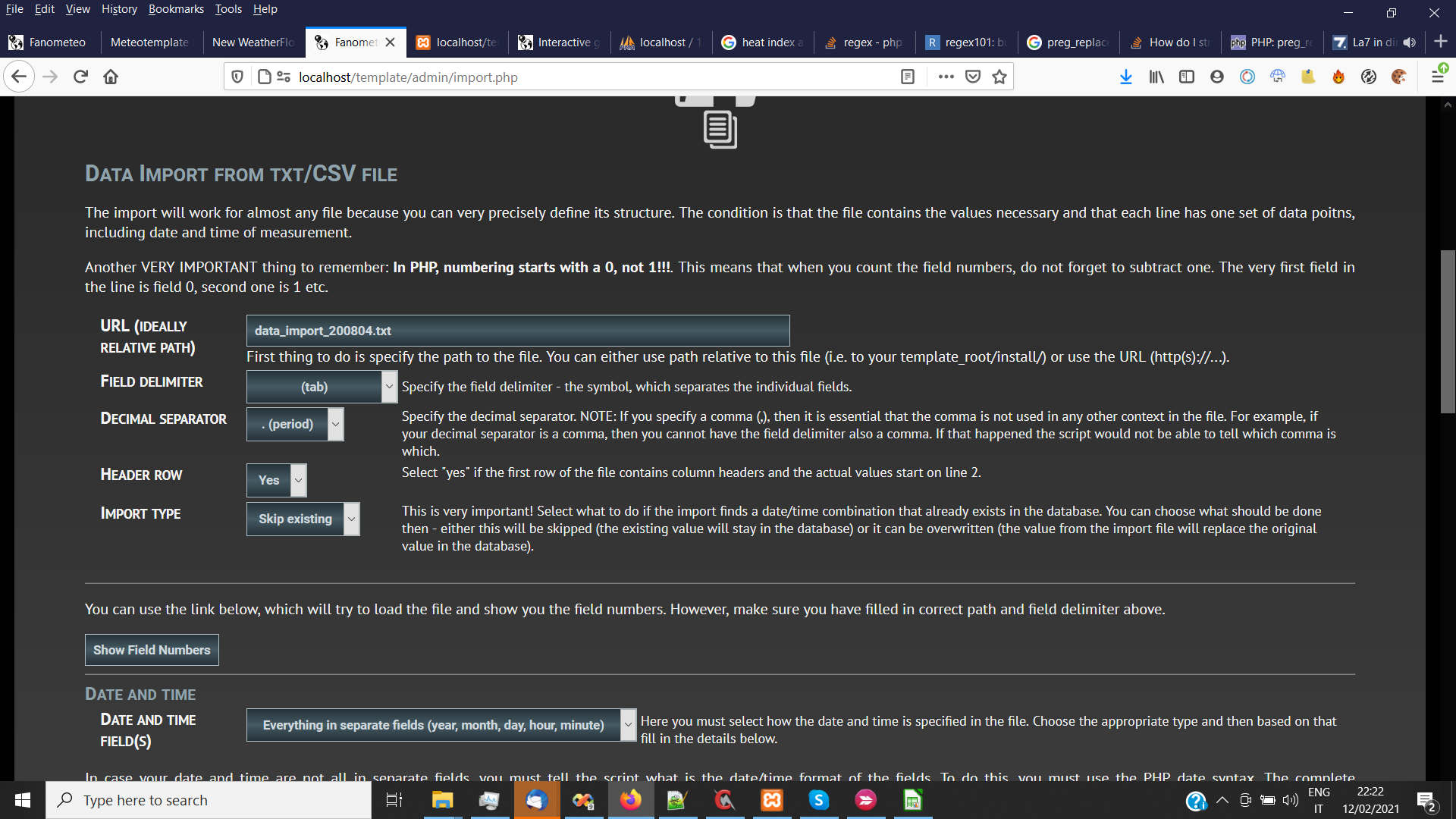
- import1.png (182.83 KiB) Viewed 14834 times
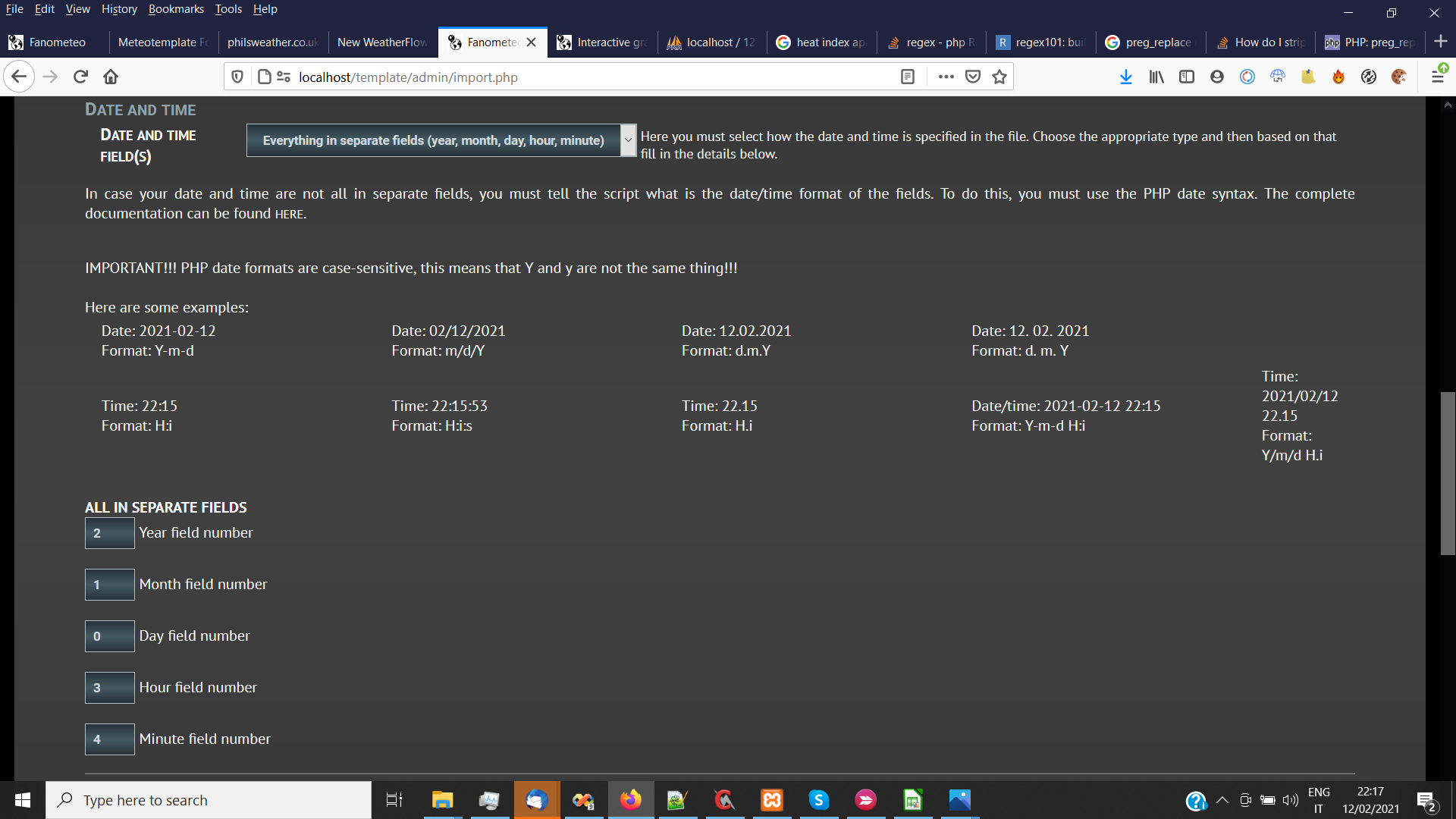
- import2.png (132.07 KiB) Viewed 14834 times
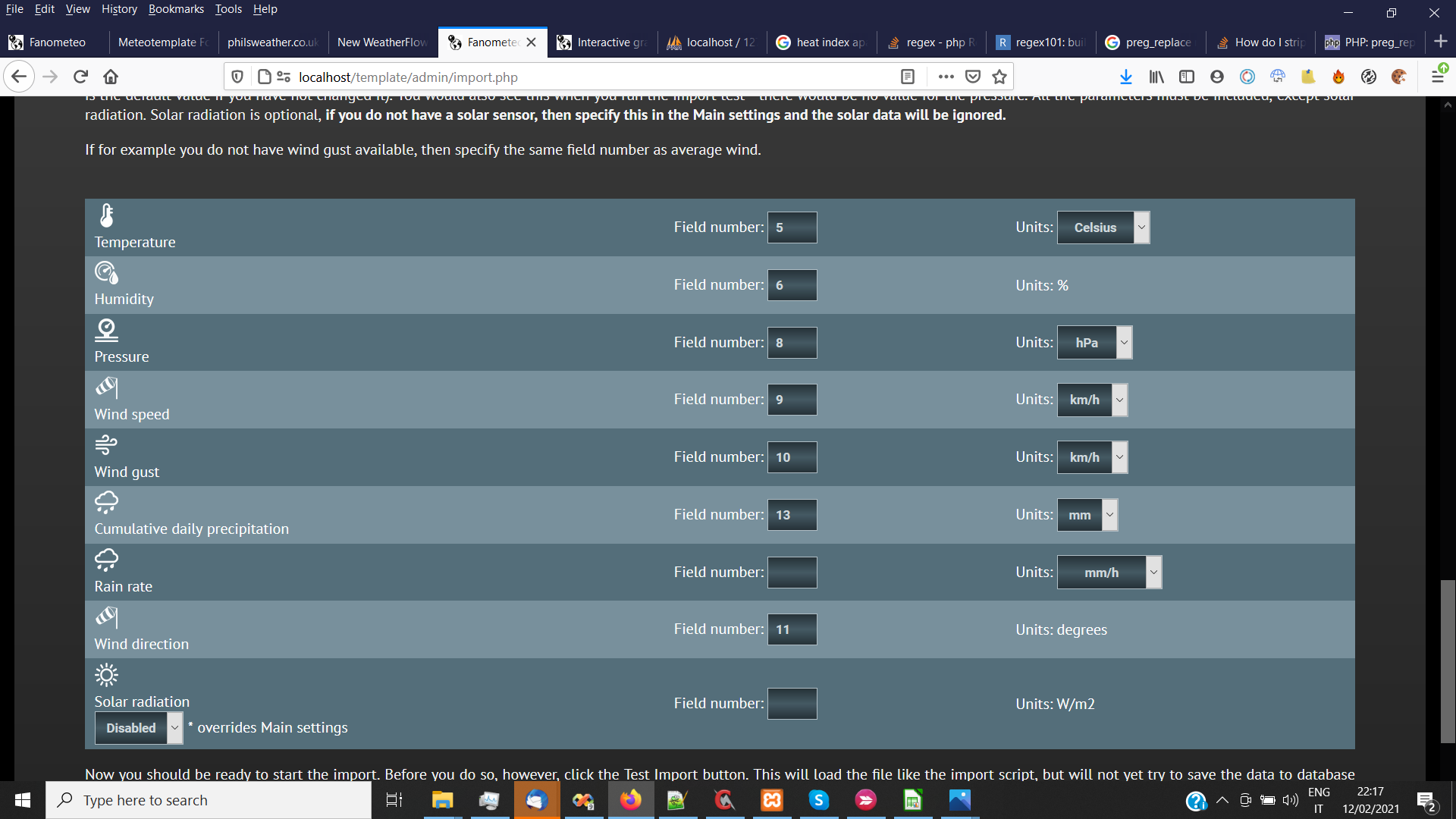
- import3.png (161.26 KiB) Viewed 14834 times


