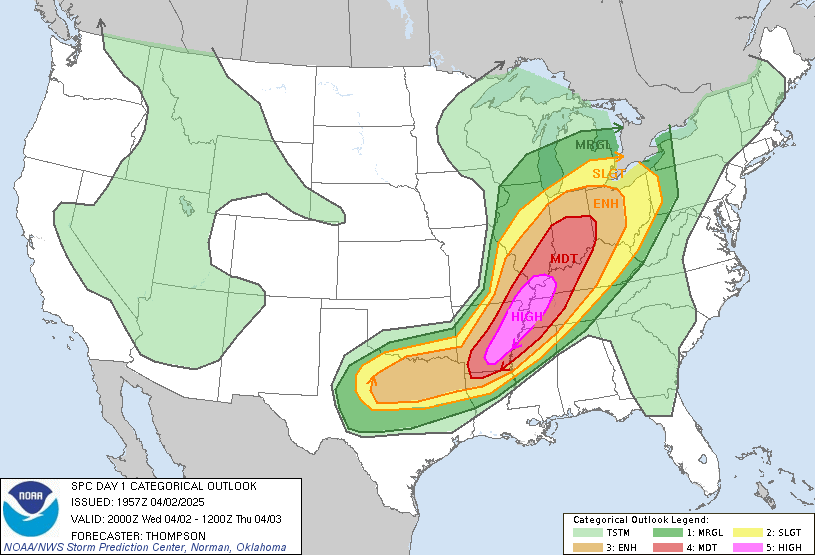
Maybe it's my cache that needs to be dumped and fresh cache pulled, but the SPC Block is not displaying an image.
It doesn't appear they have gone "https" on their site, but I know it was working on mine within the past couple of days.
Anyone hear differently on this?
usSPC Block
-
dmgould

- Forecaster

- Posts: 173
- Joined: Sat Aug 26, 2017 2:43 am
- Location: Divide, Colorado, USA
- Station model: Davis Pro 2 Plus Wireless
- Software: Meteobridge
- Contact:
Re: usSPC Block
That block hasn't worked well for a long time. Not displaying an image has become a norm on my site to be honest.
Dave G

-
jay_hoehn

- Language Admin

- Posts: 135
- Joined: Sun Aug 20, 2017 1:45 pm
- Location: Las Cruces, NM USA
- Station model: Vantage Pro 2 Plus
- Software: WeeWx
- Contact:
Re: usSPC Block
My usSPC block seems to work fine.
Jay
Jay
-
jonnyj771
- Newbie

- Posts: 5
- Joined: Sun Feb 04, 2018 6:22 pm
- Location: Davenport, Iowa, USA
- Station model: Davis VP2
- Software: WD
- Contact:
Re: usSPC Block
Maybe it's a permission issue.
I believe My permissions are set at 755. I am not home to adjust them currently.
maybe the permissions need to be worked with until we can get it straight.
I also could be wrong about when it went down and could have gone down when I went to a secured page.
Which one of you two have a secured page, if either one of you do?
I believe My permissions are set at 755. I am not home to adjust them currently.
maybe the permissions need to be worked with until we can get it straight.
I also could be wrong about when it went down and could have gone down when I went to a secured page.
Which one of you two have a secured page, if either one of you do?
-
jay_hoehn
- Language Admin
- Posts: 135
- Joined: Sun Aug 20, 2017 1:45 pm
- Location: Las Cruces, NM USA
- Station model: Vantage Pro 2 Plus
- Software: WeeWx
- Contact:
Re: usSPC Block
Mine is secured.
Jay
Jay
-
K3TXT
- Newbie
- Posts: 1
- Joined: Wed Apr 11, 2018 10:35 pm
- Station model: Davis Pro 2
- Software: Meteobridge
Re: usSPC Block
Any resolution to this? Mine was working for a long time and now, no map for several days./ Thanks
-
Dehatter

- Professional

- Posts: 350
- Joined: Sun Jan 07, 2018 5:11 am
- Location: Matthews, NC, USA
- Station model: Ecowitt WH80
- Software: Ecowitt GW1000
- Contact:
-
Dehatter
- Professional
- Posts: 350
- Joined: Sun Jan 07, 2018 5:11 am
- Location: Matthews, NC, USA
- Station model: Ecowitt WH80
- Software: Ecowitt GW1000
- Contact:
Re: usSPC Block
The address is incorrect in the block.
Change it to this:
https://www.spc.noaa.gov/products/outlo ... k_2000.gif
then it will work.
Tom
Change it to this:
https://www.spc.noaa.gov/products/outlo ... k_2000.gif
then it will work.
Tom