Page 1 of 1
No picture on Facebook
Posted: Sat Jan 27, 2018 7:26 pm
by tobydude
Hi.
When I post the URL of my meteotemplate website on Facebook,
there is no image with the URL.
Any ideas why?
 http://fjærvollan.no/template/indexDesktop.php
Re: No picture on Facebook
Posted: Sat Jan 27, 2018 7:34 pm
by Jachym
Try using the homepage (indexDesktop.php) rather than index. Facebook sometimes does unexpected things, but the homepage should work - it works for me
Re: No picture on Facebook
Posted: Sat Jan 27, 2018 7:46 pm
by tobydude
Hi.
I use undextop.php (this:
http://fjærvollan.no/template/indexDesktop.php )
but no picture. :/
Re: No picture on Facebook
Posted: Sat Jan 27, 2018 8:09 pm
by Jachym
The meta tag which sets this is there so it should be visible - unless they made some change in the facebook API
Re: No picture on Facebook
Posted: Sat Jan 27, 2018 8:15 pm
by Jachym
It should show imgs/logo.png, check if you have that file on your server
Re: No picture on Facebook
Posted: Sat Jan 27, 2018 8:24 pm
by tobydude
Nope.
No logo.png in the imgs folder. :/
Re: No picture on Facebook
Posted: Sat Jan 27, 2018 8:36 pm
by tobydude
the facebook share button in the footer, doesnt show an image either.
Re: No picture on Facebook
Posted: Sat Jan 27, 2018 8:37 pm
by Jachym
I think I know where the problem is. Thanks for letting me know, I wrote it down on my to-do list for v18 to fix this. I made one change in one previous version and didnt realize it broke this script.
Re: No picture on Facebook
Posted: Sat Jan 27, 2018 8:47 pm
by tobydude
Re: No picture on Facebook
Posted: Mon Feb 05, 2018 1:11 pm
by tobydude
Asked my ISP.
They said : Try facebook debugging.
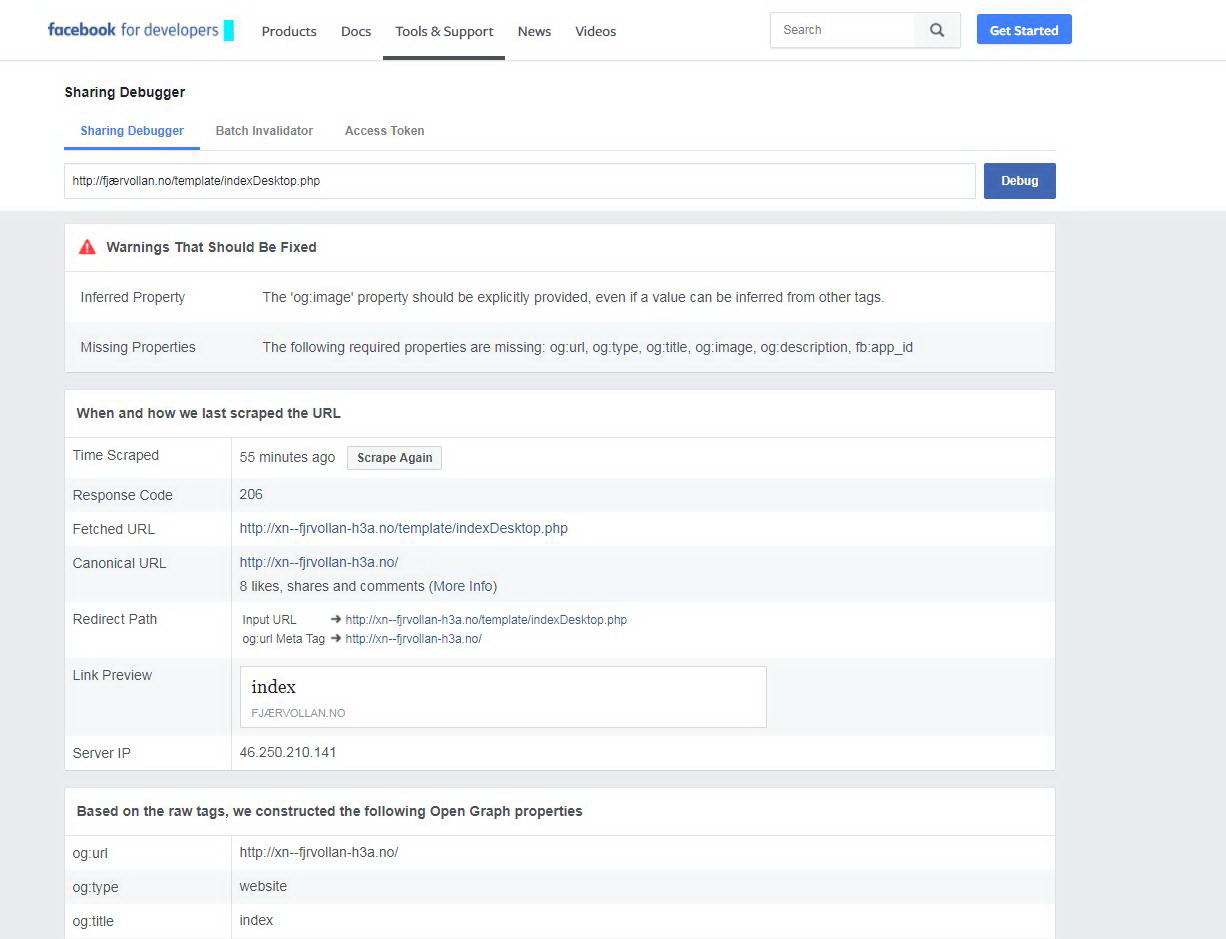
Did´nt told me much.
Re: No picture on Facebook
Posted: Tue Feb 06, 2018 2:35 am
by mpca86
tobydude: in a similar sense I wrote here:
viewtopic.php?f=55&t=1120
Now output from Facebook Sharing Debugger looks like this:
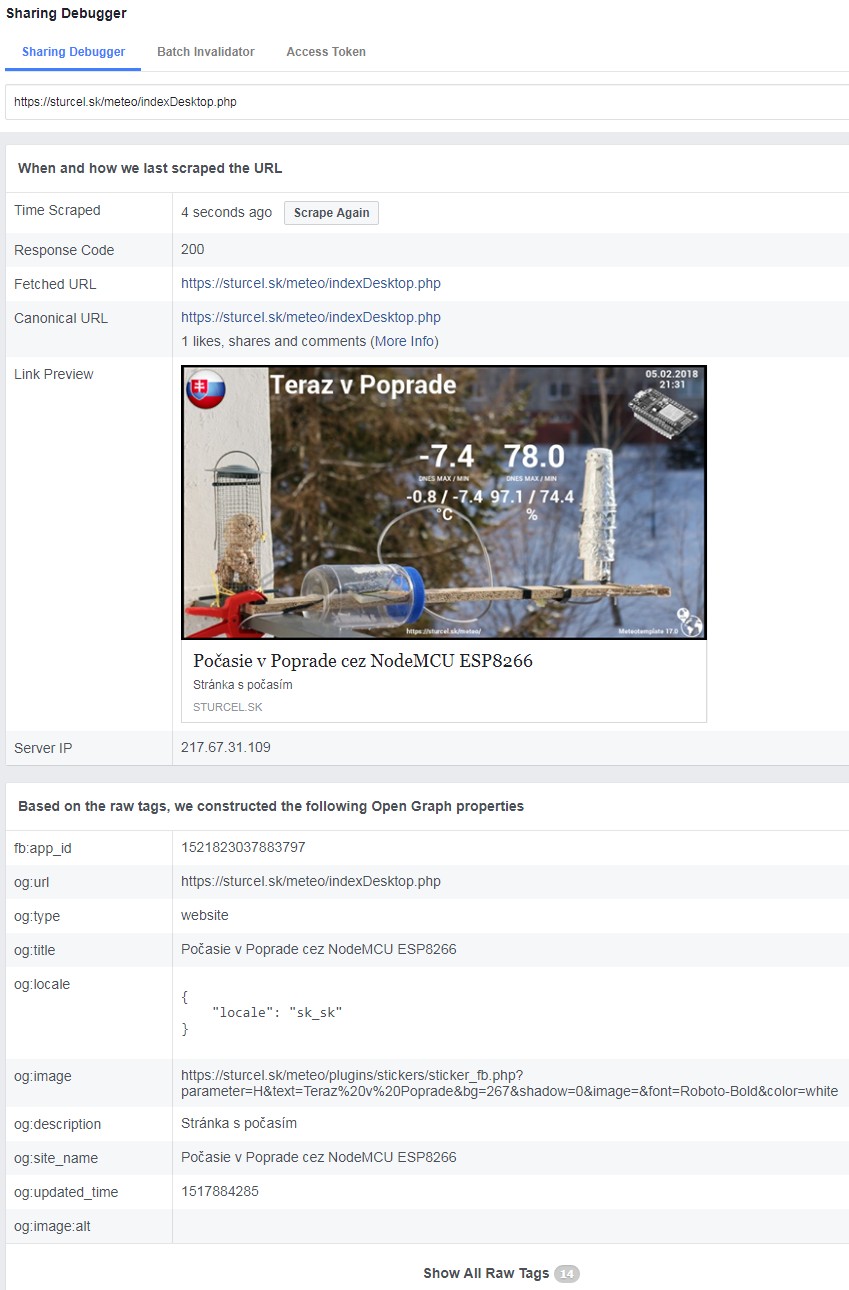
- Clipboard02.jpg (155.7 KiB) Viewed 26606 times
Re: No picture on Facebook
Posted: Tue Feb 06, 2018 10:19 am
by tobydude
Re: No picture on Facebook
Posted: Tue Feb 06, 2018 7:36 pm
by tobydude
Is there any place in the index.php I can fill in metatags?
The following will be treated as a redirect by the crawler:
A HTTP redirect
A <link rel="canonical" href=".." /> tag
A <meta property="og:url" content=".." /> tag
Re: No picture on Facebook
Posted: Thu Feb 08, 2018 6:41 pm
by mpca86
no
index.php but
header.php 
Re: No picture on Facebook
Posted: Fri Feb 09, 2018 7:31 am
by tobydude
More nag.

Where in heder.php?
At the top or bottom?.
This is the html tags I think should be put in:
"<html>
<head>
<meta http-equiv="refresh" content="0; url=template/index.php" />
<title>Meteotemplate</title>
<meta http-equiv="Content-Type" content="text/html; charset=utf-8" />
<meta name="description" content="Meteotemplate - free website template for weather enthusiasts." />
<meta name="keywords" content="meteotemplate, fjærvoll weatherservice, fjærvoll weathersørvis, fjærvoll temperatur, fjærvoll vindstyrke, bø i vesterålen, fjærvoll værstasjon, værstasjon, weather nord-norge " />
<meta name="robots" content="index,follow" />
<link rel="icon" href="favicon.ico" type="image/x-icon">
</head>
</html>"
Re: No picture on Facebook
Posted: Fri Feb 09, 2018 10:13 am
by tobydude
Seems I messed upp the whole webpage.
It went back to Meteotemplate 11.0 Passion Fruit

Re: No picture on Facebook
Posted: Fri Feb 09, 2018 9:45 pm
by mpca86
edited: OMG,, just read the code a little...
Re: No picture on Facebook
Posted: Fri Feb 09, 2018 9:50 pm
by Jachym
mpca86 wrote: ↑Fri Feb 09, 2018 9:45 pm
OMG,, just read the code a little...
For example, put it between lines 435 and 436....
Clipboard02.jpg
MPCA86 - please stay polite, not everyone knows how to code
tobydude - keep in mind that unless you know exactly what you are doing things can go seriously wrong and what I always say is that everyone is free to modify the code, but at that moment Im no longer able to help them because making changes directly in the code means I no longer know what could be wrong
Re: No picture on Facebook
Posted: Fri Feb 09, 2018 10:10 pm
by mpca86
Jachym wrote: ↑Fri Feb 09, 2018 9:50 pm
MPCA86 - please stay polite, not everyone knows how to code
tobydude - keep in mind that unless you know exactly what you are doing things can go seriously wrong and what I always say is that everyone is free to modify the code, but at that moment Im no longer able to help them because making changes directly in the code means I no longer know what could be wrong
I have modified my post. I apologize and agree with your opinion!!
Re: No picture on Facebook
Posted: Fri Feb 09, 2018 10:18 pm
by Jachym
No problem, it was nothing serious, I just didnt want it to go further and thanks for helping tobydude
Re: No picture on Facebook
Posted: Sat Feb 10, 2018 7:47 am
by tobydude
Thanks.
So, I can put a "html" kode in the middle of a .php-file?
Here:
Re: No picture on Facebook
Posted: Sat Feb 10, 2018 8:00 am
by Jachym
Im not sure what you are trying to achieve, Im afraid you will have to do it yourself, keep in mind that unless you really know PHP, HTML and CSS well it is a risky operation. Also keep in mind that making changes locks you out of updates because if you perform the update your changes will be reset, or you will not update which means you wont get any new functions released in upcoming versions
Re: No picture on Facebook
Posted: Sat Feb 10, 2018 11:01 am
by tobydude
Ok. Thanks.
I´ll give it a rest.
Re: No picture on Facebook
Posted: Tue Mar 06, 2018 1:24 am
by MJW
I'm not sure if you ever solved this or not, but what I did was on line 1 of index.php added the following -
<meta property="og:image" content="
http://westfamilynj.net/ObservatoryWestWeather.JPG" />, and then my preview image shows up.
Here is what Facebook debugger shows.
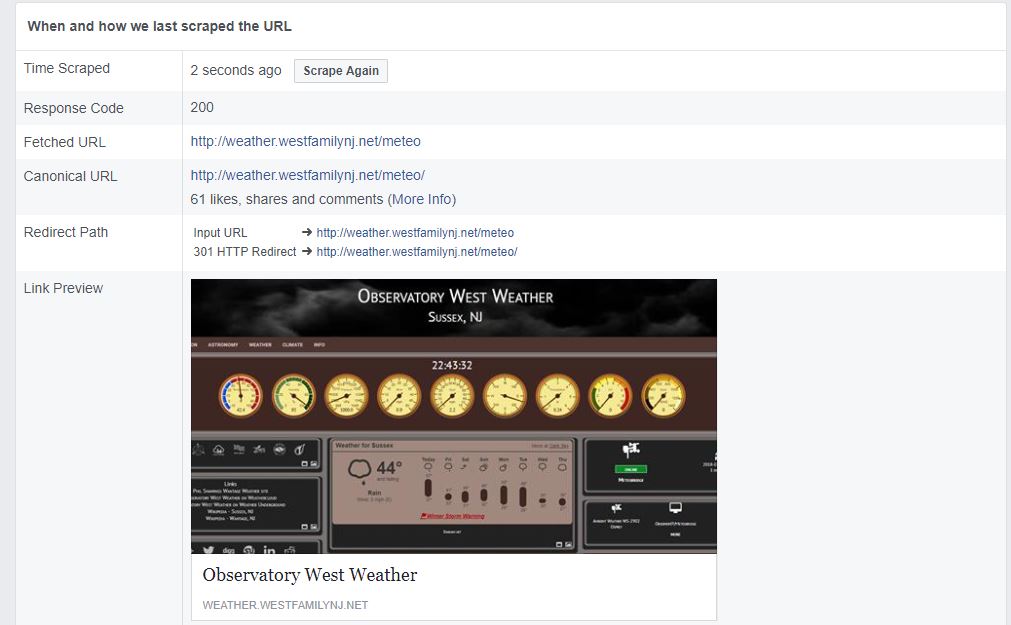
- fb debugger.JPG (72.55 KiB) Viewed 26311 times
I have the manual changed documented in the Admin Notes section of my site.
Good luck!
Re: No picture on Facebook
Posted: Tue Mar 06, 2018 6:52 pm
by tobydude
Thanks for the tip. I´ll try that.