Page 1 of 1
Updated weatherNetworks block
Posted: Sun Jan 02, 2022 2:12 am
by davidefa
ver 7.1a
Added ecowit.net, ambientweather.net and windy.com
ver 7.2b
- added option to set NWS link
- Added option to select between two ecowitt logo
- added option to disable highlighting when cursor over icons ( always highlighted )
Re: Updated weatherNetworks block
Posted: Thu Jan 06, 2022 11:37 pm
by Daali
Thank you davidefa!
Re: Updated weatherNetworks block
Posted: Wed Jan 12, 2022 3:59 pm
by amonphi
davidefa wrote: ↑Sun Jan 02, 2022 2:12 am
ver 7.1a
Added ecowit.net, ambientweather.net and windy.com
Hi Davidefa,
I have just updated WeatherNetworks Block, I couldn't help but notice the addition of windy.com to the settings. I have been registered to their site for years and with their development in beta are a nice step forward finally. But now, as an Ecowitt PWS owner, the problem has arisen on how to load data to windy automatically. Can you tell me if it is possible through Meteotemplate? Because from App Ecowitt Wsview Plus, in the Weather Services options, Windy is not unfortunately present and I don't even know if it will ever. I seem to understand that the ECOWitt protocol is compatible even in customized. Is the solution compulsorily a raspberry pi or meteorebridge?
Re: Updated weatherNetworks block
Posted: Wed Jan 12, 2022 5:02 pm
by davidefa
Yes, using the 'forwarders' of the ecowitt plugin.
For Windy:
In 'forward data format' select: WU
In 'forward server' set: ( substitute YOURAPIKEY with your api key ):
https://stations.windy.com/pws/update/YOURAPIKEY
For PWS:
In ''forward data format' select: WU
In 'forward server' set:
http://www.pwsweather.com/pwsupdate/pwsupdate.php
In forward id and password set your id and password
For WU:
In 'forward data format' select: WU
In 'forward server' set:
https://weatherstation.wunderground.com ... tation.php
In forward id and password set your id and password
Re: Updated weatherNetworks block
Posted: Wed Jan 12, 2022 6:13 pm
by amonphi
But as I did not get there ... you really thought about everything, great.
Now from Windy's link again reports "error loading or render station date", I assume it is due to the fact that there are few data but in a few hours I should see something, at most tomorrow.
Re: Updated weatherNetworks block
Posted: Thu Jan 13, 2022 2:34 pm
by amonphi
UPDATE
I created Map Forecast API but, I still don't see anything unfortunately and I don't understand why.
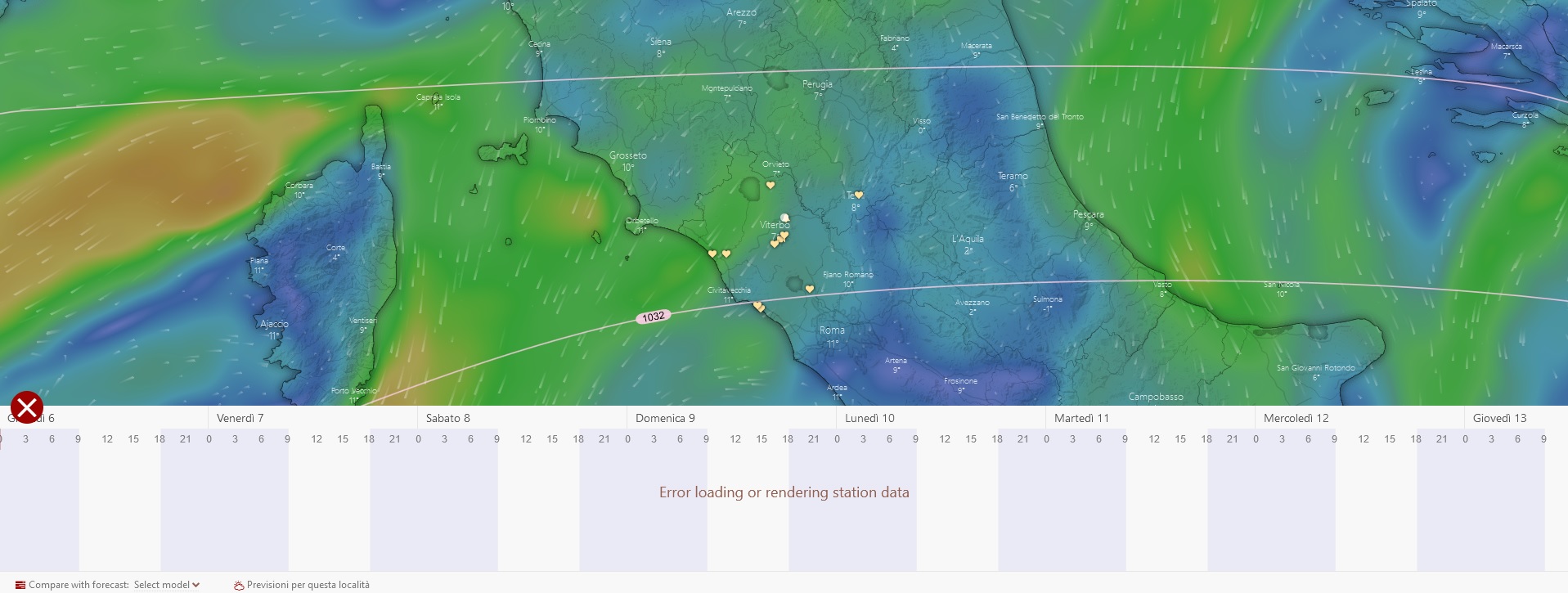
- Windy.jpg (257.91 KiB) Viewed 13317 times
On the "Manage Your API Keys" page still reports "The Key Has Not Been Used Yet." And if I try to use the three "Get" methods to view the data
-
https://stations.windy.com/pws/station/ ... station_id
-
https://stations.windy.com/pws/stations/api-key
-
https://stations.windy.com/pws/station/ ... station_id
I always get "Invalid token".
Now I came to doubt if I entered the data in "create in New API Key" but I was very uncertain
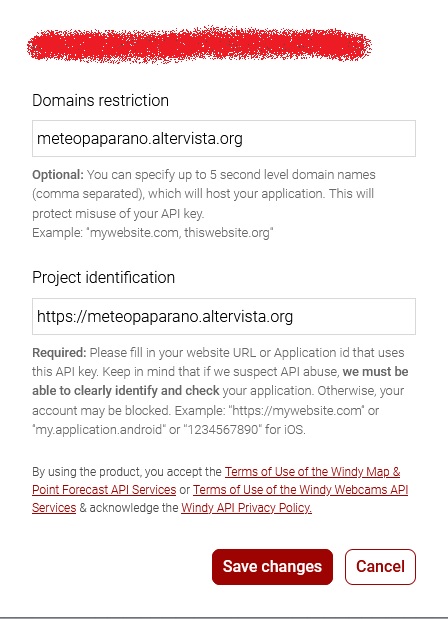
- Windy_2.jpg (83.9 KiB) Viewed 13317 times
Sorry but sometimes I lose myself in nonsense
Re: Updated weatherNetworks block
Posted: Wed Jan 26, 2022 2:13 am
by mchd17
davidefa
any way i could change the url for NWS that goes to forecast to my NWS station info? Link below.
https://www.wrh.noaa.gov/mesowest/getob ... 710&num=48
weatherNetworksBlock.php, line 133 maybe
Re: Updated weatherNetworks block
Posted: Wed Jan 26, 2022 2:17 am
by mchd17
Seems the NWS link now is tied to my Lat and Lon
current link
https://forecast.weather.gov/MapClick.p ... fCu5erMJPY
Re: Updated weatherNetworks block
Posted: Sun Jan 30, 2022 5:40 pm
by mchd17
No worries, i got it, very easily done

Re: Updated weatherNetworks block
Posted: Sun Jan 30, 2022 8:01 pm
by davidefa
Ok, maybe others like your idea...
Re: Updated weatherNetworks block
Posted: Mon Jan 31, 2022 1:31 am
by mchd17
need to edit line 133 in the weatherNetworksBlock.php
line 133
Code: Select all
<a href="http://forecast.weather.gov/MapClick.php?textField1=<?php echo $stationLat?>&textField2=<?php echo $stationLon?>" target="_blank">
to this, add in your nws site url
Code: Select all
<a href="https://www.wrh.noaa.gov/your/site/url/" target="_blank">
Re: Updated weatherNetworks block
Posted: Thu Feb 03, 2022 9:52 pm
by macipbarreda
Hello Goodnight davidefa. I see that in the latest version of weatherNetworks block, the Meteoclimatic network is included. I suppose that this network will have to be configured in the ecowitt plugin in the Advanced Setting section in one of the Forward data format.
Could you comment on the data that must be put in URL, Port, User and Password? Thanks
Re: Updated weatherNetworks block
Posted: Thu Feb 03, 2022 10:40 pm
by davidefa
Never tried, but according to
these instructions:
- set protocol to WU
- set URL to
http://meteoclimatic.atmos.cat/wu/index.php
- leave empty port
- set username the code of your weather station ( 'código de nuestra estación en Meteoclimatic' )
- set password 'la contraseña que habremos generado en el enlace del primer mensaje
http://meteoclimatic.atmos.cat/alta (Nota: las contraseñas generadas sólo són válidas hasta las 0:00 UTC del día que se han generado si la estación no se configura para enviar datos. De ser así habrá que generar una nueva.) '
Re: Updated weatherNetworks block
Posted: Fri Feb 04, 2022 12:14 pm
by macipbarreda
Thank you for all of your help. I think it's already uploading data