Page 1 of 1
data import
Posted: Sat Feb 05, 2022 4:55 pm
by alexvanuxem
Hi
I have difficuties uploading historical data.
Everytime I get 504 Gateway Time-out.
This is the file:
https://www.sint-katelijne-waver-meteo. ... /jan22.txt
Even show field numbers doesn't work.
Thes are the settings I use
https://www.sint-katelijne-waver-meteo. ... /jan22.txt
Field delimiter
(tab)
Decimal separator
. (period)
Header row
Yes
Import type
Skip existing
uploading to api.php every 5 minutes.
Which is the best source to use: weatherlink live, weatherlink, wu, pws weather, wc, ?
If my wind redirection is not in degrees how do I convert the export file to it?
in the example i changes the wind direction to 0.
Many thx
Re: data import
Posted: Sat Feb 05, 2022 11:00 pm
by davidefa
- uncompress the attached file in the admin directory ( backup the original files ), added alphanumeric bearing conversione ( N, NNE, NE... ), so you can import your files without additional conversions, and a few PHP 8.0 compatibility fixes
- configure import parameters as below
- Show field number, Test import and Import should work as expected
If I recall correctly Jachym suggests calling api.php every 1-5min ( database is updated every 5 minutes )
Sorry, can't comment about the best data source ( no experience about that ).
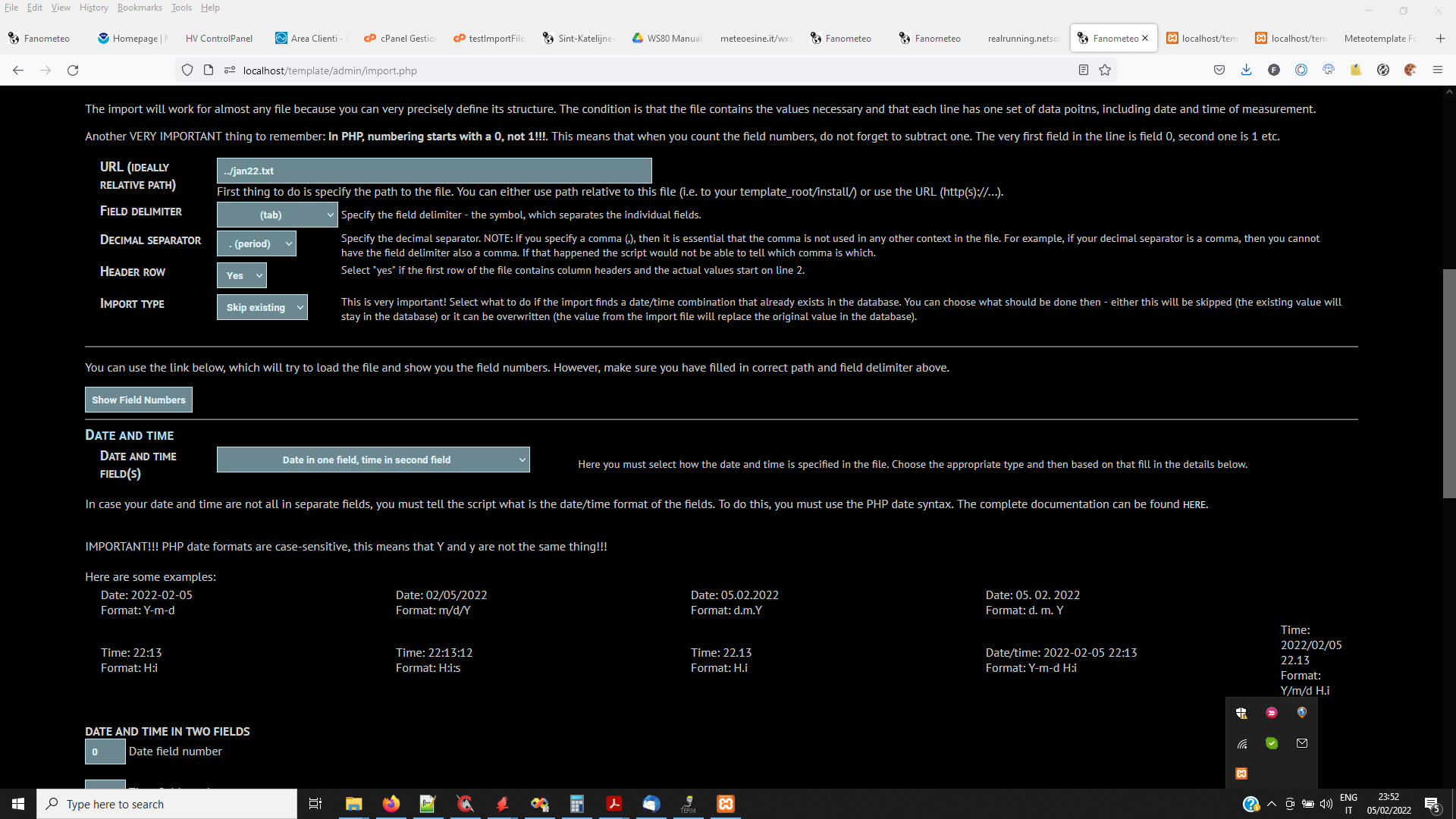
- imp21.png (136.14 KiB) Viewed 6211 times
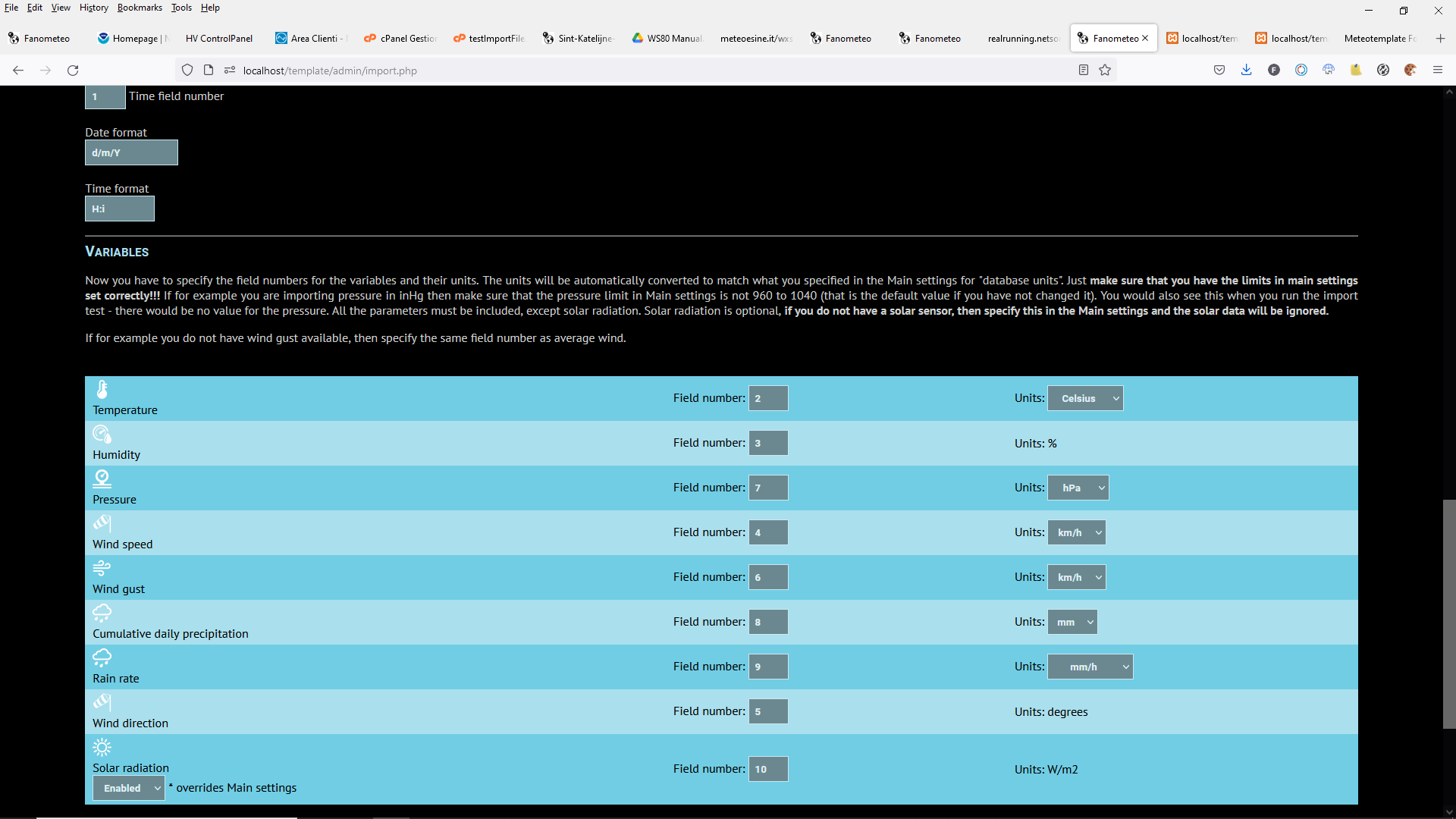
- imp22.png (92.31 KiB) Viewed 6211 times
Re: data import
Posted: Sun Feb 06, 2022 9:24 pm
by alexvanuxem
thank you,
it works, the 7.4 php way.
are you sure the 8.0 php works? even if I set my webpage still at 7.4 like it is now?
I saw your mods for full 8.0 php upgrade, are works well.
uploaded data since 2019. the template is just wow!
need to dig in into all the statistics.
thx
Re: data import
Posted: Sun Feb 06, 2022 10:07 pm
by davidefa
Yes, php 8 mods are backward compatible
Full php 8 transitioning is still a work in progress
Re: data import
Posted: Mon Feb 07, 2022 9:20 pm
by alexvanuxem
thx, uploaded all your ph8.0 mods and they work.
One thing I'm struggling now is the rain data. They rain block doesn't show the correct daily rain, etc....
Some graphs also doen't show the correct rain data.
Any ideas?
Thx
Re: data import
Posted: Mon Feb 07, 2022 11:23 pm
by davidefa
Yes, the rain data should be a 'daily cumulative rainfall (since midnight)' but the data you imported has the rain data as rain in the last 5 minutes interval ( I didn't noticed it ).
You have to repeat the import process ( unzip the attached script in the admin directory ):
- set Import Type to Overwrite
- set the new option to Enabled
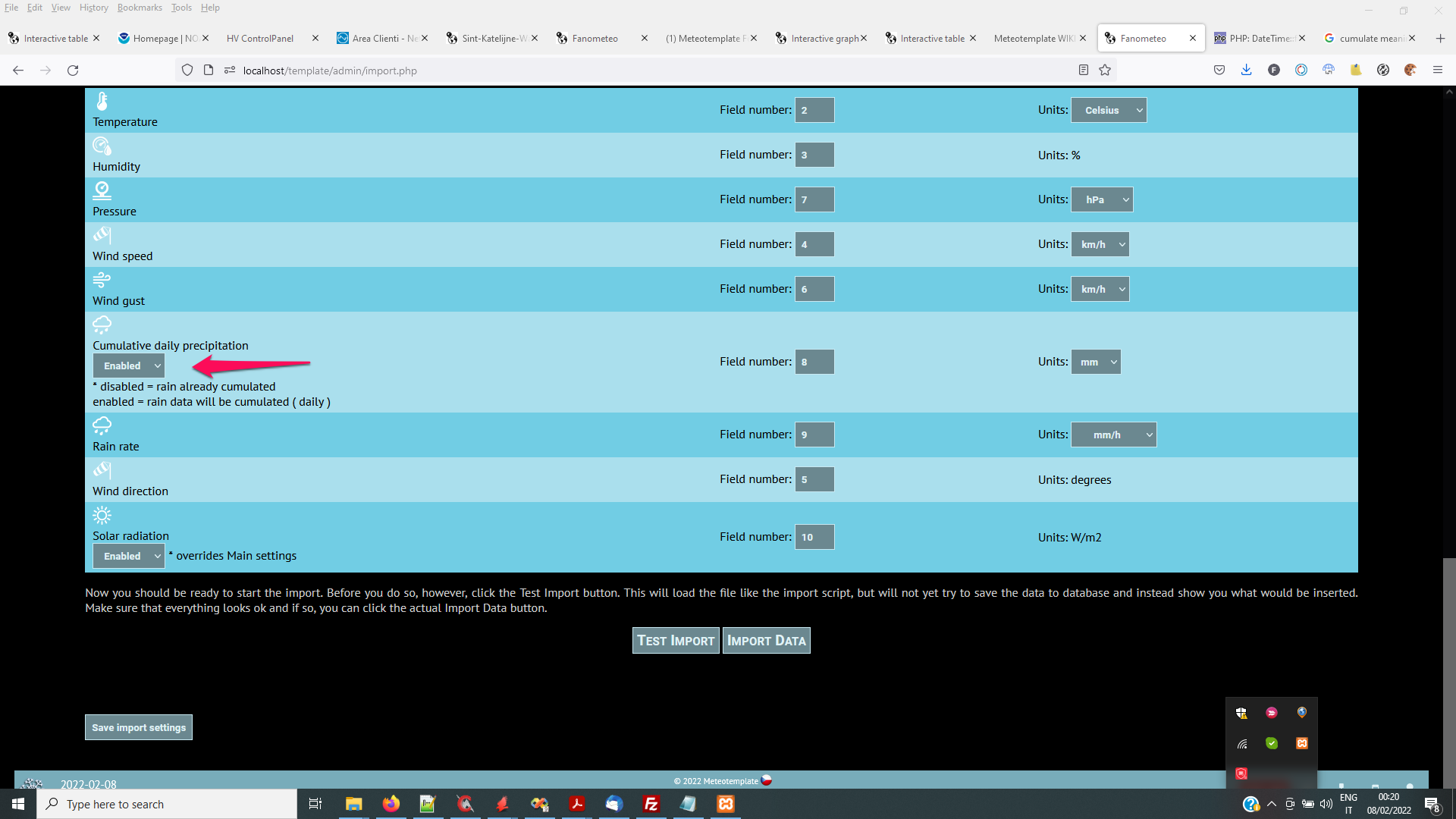
- imp23.png (138.16 KiB) Viewed 6177 times
Re: data import
Posted: Tue Feb 08, 2022 9:01 pm
by alexvanuxem
Re: data import
Posted: Tue Feb 08, 2022 10:08 pm
by davidefa
Nice... if you like a more colorfull windRose block
you may try this ( it has a few problems on some server, it does not show the axis grid )
