Page 1 of 1
Gfs: starting map
Posted: Sat Aug 26, 2017 6:04 pm
by meteoesine
Hi,
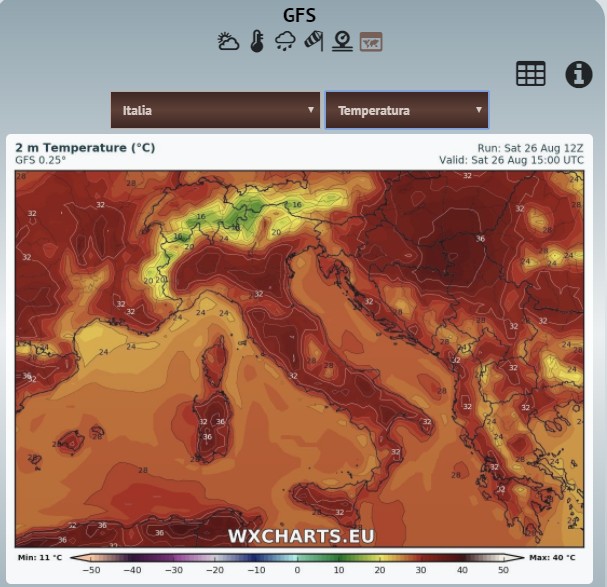
I've installed GFS block on my homepage, set to start with a map, but always is displayed that of the temperature as default.
Is there any possibility to change the default map - for example 'overview' or another one instead of the temperature?
thanks in advance for any comments.
bye
Norbert
- ScreenShot00172.jpg (88.33 KiB) Viewed 16970 times
Re: Gfs: starting map
Posted: Sat Aug 26, 2017 9:49 pm
by Jachym
In gfsBlock.php find this line (454)
Code: Select all
<img src="http://wxcharts.eu/charts/gfs/<?php echo $selectRegion?>/<?php echo $latestData?>/2mtemp_003.jpg?<?php echo time()?>" id="gfsMainMap" onclick="zoomGFS()">
Change the 2mtemp to overview
Re: Gfs: starting map
Posted: Sun Aug 27, 2017 5:26 am
by meteoesine
thanks a lot
Re: Gfs: starting map
Posted: Sun Aug 27, 2017 7:40 am
by georg
Super

Just what i have been looking for.
- Ashampoo_Snap_2017.08.27_08h39m54s_001_.png (358.22 KiB) Viewed 16936 times
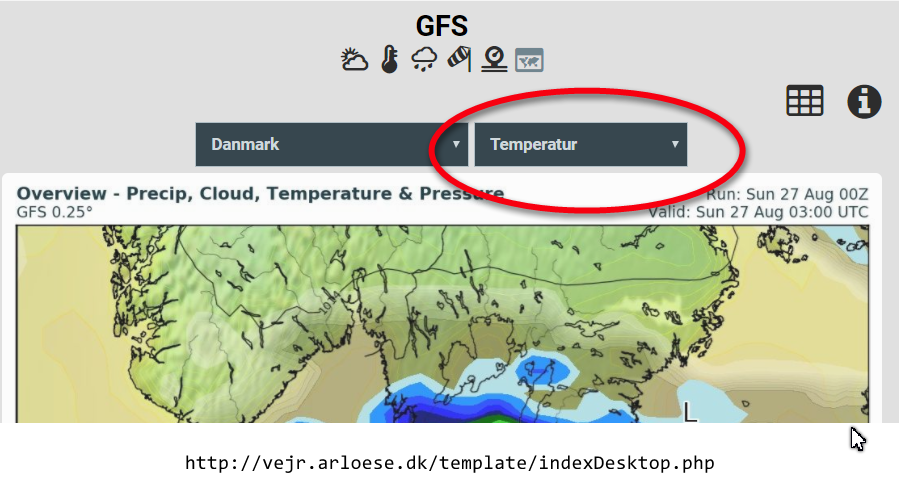
Anywhere i can change this to overview instead of temp?
also using the slider in the bottom it will shift from overview to temperature.
Re: Gfs: starting map
Posted: Mon Aug 28, 2017 8:10 am
by meteoesine
Yes, I agree.
changing only the image is not enough: it does not well running
is it possible to modify the entire block using 'overview' (image and match code) as default instead of tempertature?
thanks in advance
Re: Gfs: starting map
Posted: Mon Aug 28, 2017 9:18 am
by Jachym
You need to move the "selected" attribute from the "temp" option to the "overview" option so that it shows as selected in the select box as well
Re: Gfs: starting map
Posted: Mon Aug 28, 2017 9:47 am
by georg
Re: Gfs: starting map
Posted: Mon Aug 28, 2017 9:55 am
by meteoesine
excellent !!
tnx
Re: Gfs: starting map
Posted: Fri Sep 14, 2018 11:31 am
by meteoesine
Hi,
I have gfsMapSelector selected as default "Italy", can you pls explain how I can change the default as "Europe" ?
many thanks in advance