webpage doesn't show rigth

Post Reply
User avatar
tobydude
Forecaster
Forecaster
Posts: 206
Joined: Sun Jan 07, 2018 6:43 pm
Location: Norway
Station model: Netatmo
Software: Weatherdiaplay
Contact:

webpage doesn't show rigth

Post by tobydude » Sat Jul 31, 2021 6:58 am

Hi.
My weatherpage doesnt show right. (In a friend´s browser)
On my pc here at home, it show´s right but not on the net.
What can be wrong?
This is what ir looks like:
Image

This is how it should look like:
Image

davidefa
Expert
Expert
Posts: 905
Joined: Tue Jan 12, 2021 8:03 am
Location: Italy
Station model: WH2650
Software: WH2650 (direct upload)
Contact:

Re: webpage doesn't show rigth

Post by davidefa » Sat Jul 31, 2021 4:26 pm

The correct url for your site is:
http://fjærvollan.no/template/indexDesktop.php

If I point the browser to ( note the initial https ):
https://fjærvollan.no/template/indexDesktop.php

I get the same result as in your image
Image

User avatar
tobydude
Forecaster
Forecaster
Posts: 206
Joined: Sun Jan 07, 2018 6:43 pm
Location: Norway
Station model: Netatmo
Software: Weatherdiaplay
Contact:

Re: webpage doesn't show rigth

Post by tobydude » Sat Jul 31, 2021 4:53 pm

Ok.Thanks.
So if the url is http://fjærvollan.no/template/indexDesktop.php
it show the page right?

Some of my friends say its not.

davidefa
Expert
Expert
Posts: 905
Joined: Tue Jan 12, 2021 8:03 am
Location: Italy
Station model: WH2650
Software: WH2650 (direct upload)
Contact:

Re: webpage doesn't show rigth

Post by davidefa » Sat Jul 31, 2021 10:16 pm

They should clear the cookies, cache and navigation data ( in firefox this is accessible clicking on the lock icon and selecting the last option )

I don't know why, but once you browse the https site, even if you browse to http site you'll be redirected to the https.
The only remedy I found is clearing cookies, cahche and navigation data.

clear_cache.png
clear_cache.png (135.41 KiB) Viewed 7126 times
Image

User avatar
tobydude
Forecaster
Forecaster
Posts: 206
Joined: Sun Jan 07, 2018 6:43 pm
Location: Norway
Station model: Netatmo
Software: Weatherdiaplay
Contact:

Re: webpage doesn't show rigth

Post by tobydude » Sun Aug 01, 2021 5:48 am

Thank you.
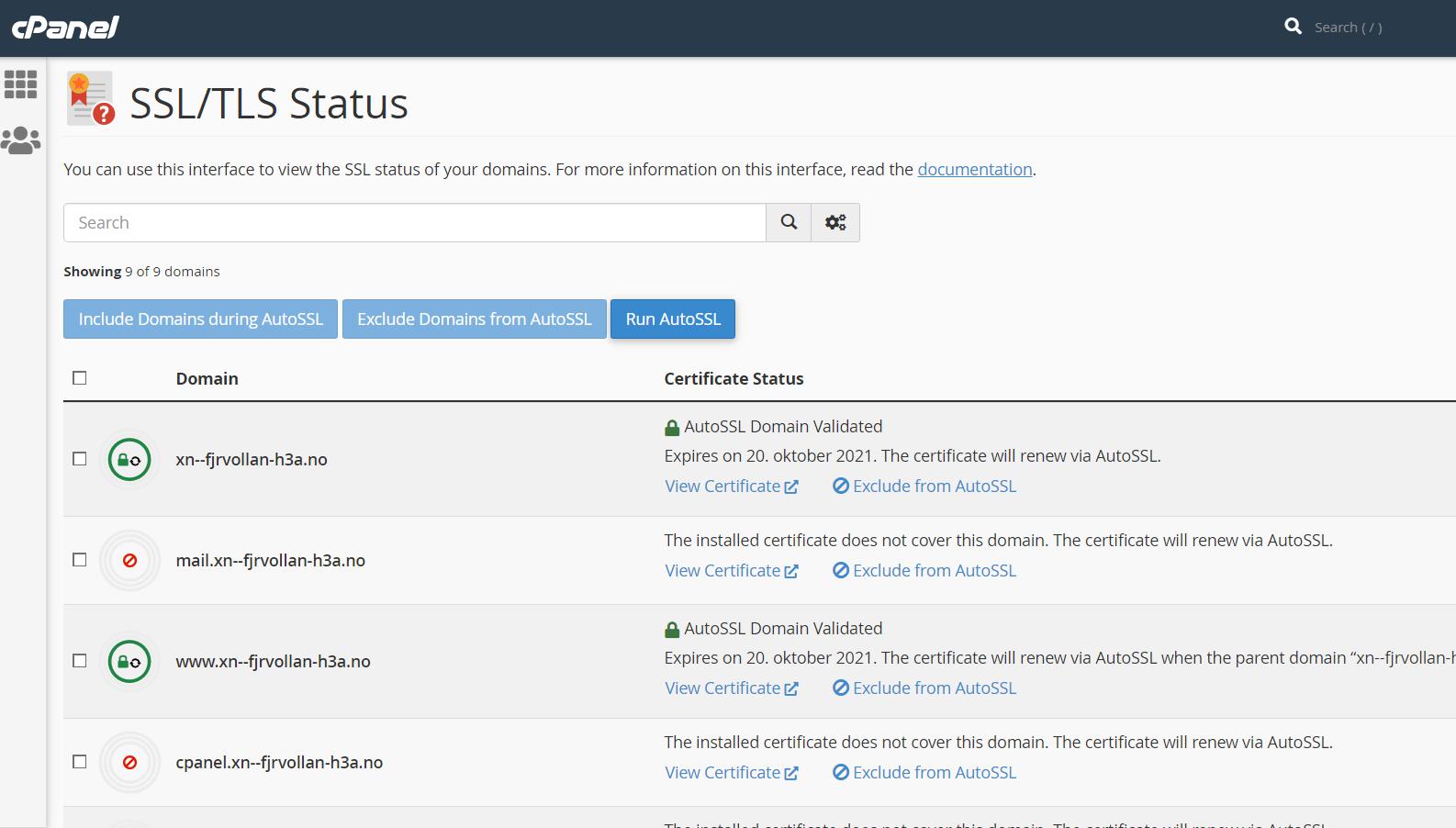
I guess it has to do with SSL/TLS on my host´s server. (PROISP)
I probable need support from Proisp on this issue.
Image

User avatar
tobydude
Forecaster
Forecaster
Posts: 206
Joined: Sun Jan 07, 2018 6:43 pm
Location: Norway
Station model: Netatmo
Software: Weatherdiaplay
Contact:

Re: webpage doesn't show rigth

Post by tobydude » Sun Aug 01, 2021 5:56 am

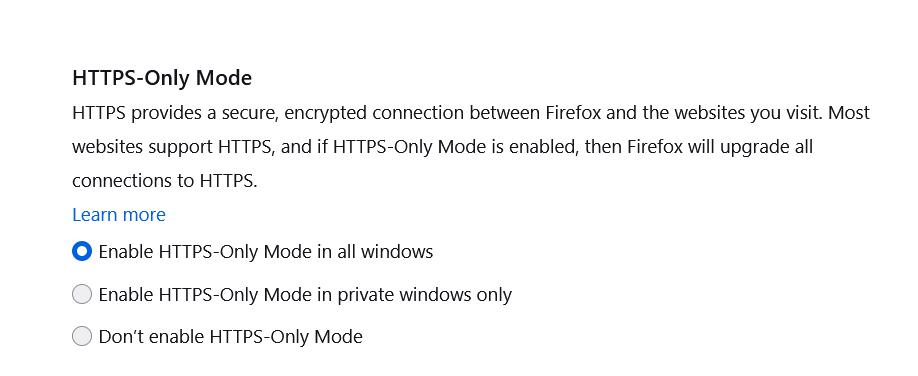
Also, when i allow "unsecure content" in Edge, it shows the page correct.
In Firefox when I set the browser to "HTTPS-Only Mode"

Image

User avatar
tobydude
Forecaster
Forecaster
Posts: 206
Joined: Sun Jan 07, 2018 6:43 pm
Location: Norway
Station model: Netatmo
Software: Weatherdiaplay
Contact:

Re: webpage doesn't show rigth

Post by tobydude » Mon Aug 02, 2021 3:58 pm

My host server "support" canged "Line 20 in config.php file from (HTTP --> HTTPS)to

$pageURL = 'https://xn--fjrvollan-h3a.no';"

And he sat a "redirect" so that visitors who use HTTP is redirectet to HTTPS.
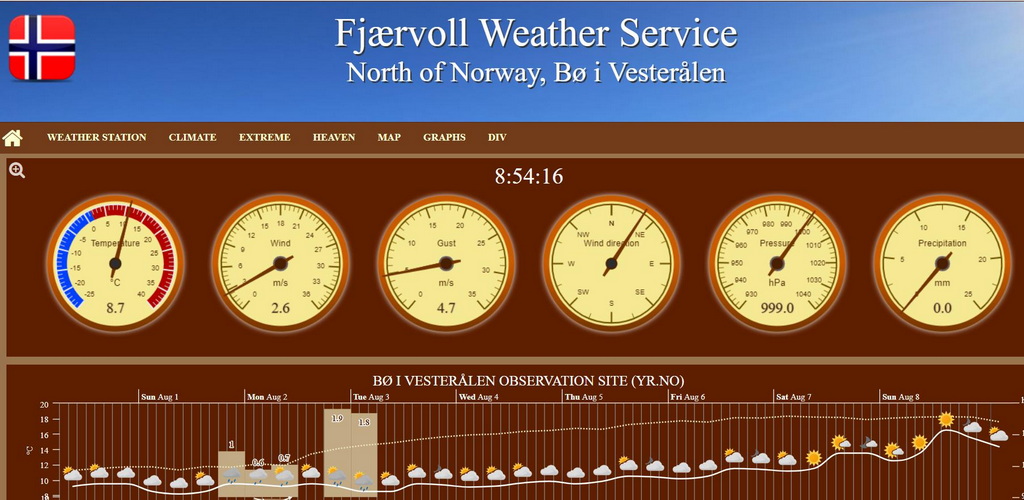
Now, the weather page seems to work fine.

The padlock is misseng to the left of the adress bar, but that has to do with other files.
I.E in my case the video in the middle of my weather page, is enough to not get a padlock.
When removing the video and the webcam link, I got the padlock.

https://fjærvollan.no/template/indexDesktop.php
davidefa
Expert
Expert
Posts: 905
Joined: Tue Jan 12, 2021 8:03 am
Location: Italy
Station model: WH2650
Software: WH2650 (direct upload)
Contact:

Re: webpage doesn't show rigth

Post by davidefa » Mon Aug 02, 2021 7:32 pm

That's a solution... the drawback is that you have only to use 'https' resources in your pages.
Local resources ( those on your server ) are already 'https', but if you include external resources ( images, videos... ) these have to be 'https' ( as the default browser behaviour is 'mixed content' is not allowed ).

I don't want to say it is not a good solution ( it is a good solution indeed ).
I only want to say that if you find that some content is not displayed ( for example a camera stream/image ) check that resource is accessed via https
Image

User avatar
tobydude
Forecaster
Forecaster
Posts: 206
Joined: Sun Jan 07, 2018 6:43 pm
Location: Norway
Station model: Netatmo
Software: Weatherdiaplay
Contact:

Re: webpage doesn't show rigth

Post by tobydude » Mon Aug 02, 2021 8:26 pm

I Will. Thanks.

Post Reply